Posts: 997
Threads: 72
Joined: Jun 2013
Reputation:
17
(08-23-2013, 09:16 PM)cyclonmaster Wrote: Adding configure able combo button where we can press a key/touch single key for a mix of multiple keys. Example: L+R etc.
Useful for games such as God of War, Kingdom Heart...
I thought this would be possible now with the new way of configuring keys but I guess not.
It's either a bug or you can't bind multiple keys to a single key
You can set multiple buttons to a single key but only one of the will be executed(the first or the last...don't remember)
Using PPSSPP on Windows 7 x64 SP1
i7 4771 3.5Ghz,GTX750TI,16GB RAM
Batch iso <=> cso converter
http://forums.ppsspp.org/showthread.php?tid=5384
Save Game\States Manager
http://forums.ppsspp.org/showthread.php?tid=5516
Posts: 2,392
Threads: 27
Joined: Mar 2013
Reputation:
91
08-27-2013, 12:01 PM
(This post was last modified: 08-27-2013, 12:03 PM by TheDax.)
BypassOSKWithKeyboard(still Windows only for now) now supports Unicode, so you can use it safely with Japanese/Russian/Chinese/etc. games now, though I only had 2 or 3 Japanese games to test with, so your results may vary.
4GHz AMD 3900X, 32GB DDR4 RAM, 6GB Nvidia RTX 2060, Asus Crosshair 7 Hero (Wifi), Linux
How to ask useful questions: https://web.archive.org/web/20110214010944/http://support.microsoft.com/kb/555375
I'm not Dark_Alex, nor do I claim to be. Our nicknames are merely coincidence.
Posts: 2,392
Threads: 27
Joined: Mar 2013
Reputation:
91
08-30-2013, 05:02 PM
(This post was last modified: 08-30-2013, 09:46 PM by TheDax.)
Hi, I added a new feature to language inis for Windows: if you open up your respective language's ini file, go to [DesktopUI], and add a line called "Font", you can select whatever font you want to use in PPSSPP that you have installed on your system. If you don't have anything there, or it's an invalid font, it'll default to Trebuchet MS.
Translators: Don't add this to your language inis on PPSSPP-lang, please.
Example:
en_US.ini
[DesktopUI]
Font = Wingdings
(Click/tap for full size):

4GHz AMD 3900X, 32GB DDR4 RAM, 6GB Nvidia RTX 2060, Asus Crosshair 7 Hero (Wifi), Linux
How to ask useful questions: https://web.archive.org/web/20110214010944/http://support.microsoft.com/kb/555375
I'm not Dark_Alex, nor do I claim to be. Our nicknames are merely coincidence.
Posts: 5,371
Threads: 14
Joined: Mar 2013
Reputation:
303
08-30-2013, 05:10 PM
(This post was last modified: 08-30-2013, 05:11 PM by vnctdj.)
>> daxtsu : I have just seen that on GitHub ; now I understand better, thanks for the explanation 
♦ Intel Core i7-6700HQ | 16 GB RAM | NVIDIA GeForce GTX 960M | Debian Testing
♦ Intel Core i7-2630QM | 4 GB RAM | NVIDIA GeForce GT 540M | Debian Testing
♦ PSP-3004 | 6.60 PRO-C2
Posts: 2,392
Threads: 27
Joined: Mar 2013
Reputation:
91
No problem. I hope somebody finds it useful or neat.
4GHz AMD 3900X, 32GB DDR4 RAM, 6GB Nvidia RTX 2060, Asus Crosshair 7 Hero (Wifi), Linux
How to ask useful questions: https://web.archive.org/web/20110214010944/http://support.microsoft.com/kb/555375
I'm not Dark_Alex, nor do I claim to be. Our nicknames are merely coincidence.
Posts: 5,371
Threads: 14
Joined: Mar 2013
Reputation:
303
(08-30-2013, 05:16 PM)daxtsu Wrote: No problem. I hope somebody finds it useful or neat.
I will try it 
♦ Intel Core i7-6700HQ | 16 GB RAM | NVIDIA GeForce GTX 960M | Debian Testing
♦ Intel Core i7-2630QM | 4 GB RAM | NVIDIA GeForce GT 540M | Debian Testing
♦ PSP-3004 | 6.60 PRO-C2
Posts: 362
Threads: 159
Joined: Aug 2013
Reputation:
8
(08-30-2013, 05:16 PM)daxtsu Wrote: No problem. I hope somebody finds it useful or neat. This is great!
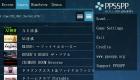
I really like this. Thanks for your hard work!
I'm sorry, but I can't constantly keep an eye on all the game compatibility threads I started.
Please send a Private Message if you need some more information.
Posts: 2,392
Threads: 27
Joined: Mar 2013
Reputation:
91
Credit goes to Henrik as well, I'm just standing on the shoulders of giants here. He made it possible to change the font; I enabled the user to pick the one they want.
4GHz AMD 3900X, 32GB DDR4 RAM, 6GB Nvidia RTX 2060, Asus Crosshair 7 Hero (Wifi), Linux
How to ask useful questions: https://web.archive.org/web/20110214010944/http://support.microsoft.com/kb/555375
I'm not Dark_Alex, nor do I claim to be. Our nicknames are merely coincidence.
Posts: 997
Threads: 72
Joined: Jun 2013
Reputation:
17
08-30-2013, 06:23 PM
(This post was last modified: 08-30-2013, 06:26 PM by vsub_.)
I just notest something strange.
While testing different fonts,for some reason on "Modern" the Load... is not changed,everything else is.
Comic Sans MS look good
Using PPSSPP on Windows 7 x64 SP1
i7 4771 3.5Ghz,GTX750TI,16GB RAM
Batch iso <=> cso converter
http://forums.ppsspp.org/showthread.php?tid=5384
Save Game\States Manager
http://forums.ppsspp.org/showthread.php?tid=5516
Posts: 5,371
Threads: 14
Joined: Mar 2013
Reputation:
303
(08-30-2013, 05:29 PM)vnctdj Wrote: (08-30-2013, 05:16 PM)daxtsu Wrote: No problem. I hope somebody finds it useful or neat.
I will try it
It works with no problem, thanks
♦ Intel Core i7-6700HQ | 16 GB RAM | NVIDIA GeForce GTX 960M | Debian Testing
♦ Intel Core i7-2630QM | 4 GB RAM | NVIDIA GeForce GT 540M | Debian Testing
♦ PSP-3004 | 6.60 PRO-C2
Posts: 1
Threads: 0
Joined: Aug 2013
Reputation:
0
I don't know how to download games or pay games with the ppsspp I need help please
Posts: 5,371
Threads: 14
Joined: Mar 2013
Reputation:
303
08-30-2013, 08:03 PM
(This post was last modified: 08-30-2013, 08:05 PM by vnctdj.)
(08-30-2013, 07:59 PM)brain Wrote: I don't know how to download games or pay games with the ppsspp I need help please
You should take a look at this...
♦ Intel Core i7-6700HQ | 16 GB RAM | NVIDIA GeForce GTX 960M | Debian Testing
♦ Intel Core i7-2630QM | 4 GB RAM | NVIDIA GeForce GT 540M | Debian Testing
♦ PSP-3004 | 6.60 PRO-C2
Posts: 109
Threads: 8
Joined: Apr 2013
Reputation:
3
08-31-2013, 08:05 AM
(This post was last modified: 08-31-2013, 08:08 AM by xZabuzax.)
First of all, awesome, the Control Mapping is getting even prettier with that cool detail by adding the icons to: Cross, Circle, Square and Triangle. Pretty neat.
(08-30-2013, 05:02 PM)daxtsu Wrote: Hi, I added a new feature to language inis for Windows: if you open up your respective language's ini file, go to [DesktopUI], and add a line called "Font", you can select whatever font you want to use in PPSSPP that you have installed on your system. If you don't have anything there, or it's an invalid font, it'll default to Trebuchet MS.
And this feature to use your prefered font is pretty freaking neat too.
I spotted a minor issue by changing fonts in the Control Mapping:

As you can see, the font is not working with: Start, Select, L & R. The font is working for everything else tho.
And like always, awesome job with the features!
[CPU]: Intel Core i7-4790K 4.0GHz
[GPU]: EVGA GeForce GTX 970 Superclocked ACX 2.0 4GB GDDR5
[PSU]: EVGA SuperNOVA G1 1000W (80 Plus Gold)
[RAM]: Corsair Vengeance 16GB (2x8GB) DDR3 1600MHz
[MOBO]: MSI Z97-GAMING 5
[PC CASE]: ENERMAX Ostrog GT (Red)
[CPU FAN]: Cooler Master: Hyper 212 EVO
Posts: 2,392
Threads: 27
Joined: Mar 2013
Reputation:
91
It doesn't work because those are images, like [], /\, X, and O.
4GHz AMD 3900X, 32GB DDR4 RAM, 6GB Nvidia RTX 2060, Asus Crosshair 7 Hero (Wifi), Linux
How to ask useful questions: https://web.archive.org/web/20110214010944/http://support.microsoft.com/kb/555375
I'm not Dark_Alex, nor do I claim to be. Our nicknames are merely coincidence.
Posts: 109
Threads: 8
Joined: Apr 2013
Reputation:
3
(08-31-2013, 11:19 AM)daxtsu Wrote: It doesn't work because those are images, like [], /\, X, and O.
Dude sorry for this late reply but i figured, is there any reason why Start, Select, L & R are images while the other words aren't? i mean, i understand if [], /\, X, and O are images because those are icons but i don't see the reason why Start, Select, L & R should be images too, they should also be words like the other ones.
And again, sorry for the late reply =p
[CPU]: Intel Core i7-4790K 4.0GHz
[GPU]: EVGA GeForce GTX 970 Superclocked ACX 2.0 4GB GDDR5
[PSU]: EVGA SuperNOVA G1 1000W (80 Plus Gold)
[RAM]: Corsair Vengeance 16GB (2x8GB) DDR3 1600MHz
[MOBO]: MSI Z97-GAMING 5
[PC CASE]: ENERMAX Ostrog GT (Red)
[CPU FAN]: Cooler Master: Hyper 212 EVO
|