Posts: 730
Threads: 9
Joined: Apr 2013
Reputation:
17
 08-09-2014, 09:55 PM
(This post was last modified: 08-09-2014, 10:16 PM by The Phoenix.)
08-09-2014, 09:55 PM
(This post was last modified: 08-09-2014, 10:16 PM by The Phoenix.)
(08-09-2014, 02:59 PM)RazorZero Wrote: I'm still getting the black screen when it plays the FMV. Last time I was attempting to try on Mission 21A (I used imported save file, though) and it freezes and black screen when trying to play a cutscene after starting the mission.
I was running on ppsspp-v0.9.9-68-g404766c-windows-amd64. Hi there,
I was using the same revision of PPSSPP but the 32bit version, and playing the ULES01408 game.
What settings are you using?
Are you using Buffered Rendering?
If you are using Fast Memory, untick it, can cause crashes.
If you are using any of the Hacks, untick all of them on Windows, are not needed on this game.
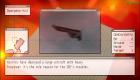
If by FMV you mean the briefing playing, i am not seeing any problems with those. 
Edit: just had a thought, maybe the save you used was wrong region, as in USA save -> EUR Game.

Posts: 9
Threads: 0
Joined: Oct 2013
Reputation:
0
08-11-2014, 03:03 AM
(This post was last modified: 08-11-2014, 03:14 AM by RazorZero.)
(08-09-2014, 09:55 PM)The Phoenix Wrote: (08-09-2014, 02:59 PM)RazorZero Wrote: I'm still getting the black screen when it plays the FMV. Last time I was attempting to try on Mission 21A (I used imported save file, though) and it freezes and black screen when trying to play a cutscene after starting the mission.
I was running on ppsspp-v0.9.9-68-g404766c-windows-amd64. Hi there,
I was using the same revision of PPSSPP but the 32bit version, and playing the ULES01408 game.
What settings are you using?
Are you using Buffered Rendering?
If you are using Fast Memory, untick it, can cause crashes.
If you are using any of the Hacks, untick all of them on Windows, are not needed on this game.
If by FMV you mean the briefing playing, i am not seeing any problems with those.
Edit: just had a thought, maybe the save you used was wrong region, as in USA save -> EUR Game.
I was running the NPJH50263 game. Both the game and the save-game file are from my PSP.
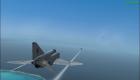
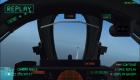
The FMV I meant are the FMV cutscenes during gameplay
And as for the settings:
//MODE//
Mode = buffered rendering
Simulate block transfer = checked
//FRAMERATE CONTROL//
Frameskipping = off
Auto-frameskip = unchecked
Prevent FPS from exceeding 60 FPS = checked
Alternative speed = 0
//FEATURES//
Post-processing shader = off
//PERFORMACE//
Rendering resolution = 2xPSP
Vsync = unchecked
Mipmapping = checked
HW transform = checked
SW skinning = checked
Vertex cache = checked
Lazy texture caching = unchecked
Retain changed texture = unchecked
Disable slower effects = unchecked
Spline/Bezier curves quality = medium
//TEXTURE SCALING//
Upscale level = off
Upscale type = xBRZ
Deposterize = unchecked
//TEXTURE FILTERING//
Anisotropic filtering = 2x
Texture filtering = Auto
//HACK SETTINGS//
All hack settings = unchecked
//EMULATION//
Fast memory = unchecked
Multithreaded = unchecked
I/O on thread = checked
Force real clock sync = unchecked
Change emulated PSP's CPU clock = 0
Rewind snapshot frequency = 0
Automic audio locks = unchecked
Enable Windows native keyboard = unchecked
I have disabled fast memory and the hacks, but still getting black screen hangs during ingame FMV cutscenes like at the start of mission 13 (Cyclops Slayer) and 21 (Reprisal).
Posts: 730
Threads: 9
Joined: Apr 2013
Reputation:
17
08-11-2014, 03:38 AM
(This post was last modified: 08-11-2014, 03:38 AM by The Phoenix.)
Hi again,
Okay, try un-ticking I/O on thread, retry game, then try un-ticking Vertex Cache, restart game, did either of those help, can't see anything else that maybe the problem sadly.
Posts: 9
Threads: 0
Joined: Oct 2013
Reputation:
0
(08-11-2014, 03:38 AM)The Phoenix Wrote: Hi again,
Okay, try un-ticking I/O on thread, retry game, then try un-ticking Vertex Cache, restart game, did either of those help, can't see anything else that maybe the problem sadly.
Thanks for the reply. I have changed the settings as you told.
Unfortunately, I'm still getting the problem.
Speaking of which, I noticed that as the newer builds turns up, there is progress regarding the FMV. On mission 11 (Raging Sea), the recent builds surprisingly are able to play the cutscene after the refueling minigame while the older builds are suffering from the black-screen hangs during that cutscene. But so far only that particluar in-game FMV cutscene I noticed can now plays.
Still, this problem really puzzles me. Maybe this has something to do with the media engine / ffmpeg inside the emulator.
Posts: 730
Threads: 9
Joined: Apr 2013
Reputation:
17
08-11-2014, 04:27 PM
(08-11-2014, 04:31 AM)RazorZero Wrote: (08-11-2014, 03:38 AM)The Phoenix Wrote: Hi again,
Okay, try un-ticking I/O on thread, retry game, then try un-ticking Vertex Cache, restart game, did either of those help, can't see anything else that maybe the problem sadly.
Thanks for the reply. I have changed the settings as you told.
Unfortunately, I'm still getting the problem.
Speaking of which, I noticed that as the newer builds turns up, there is progress regarding the FMV. On mission 11 (Raging Sea), the recent builds surprisingly are able to play the cutscene after the refueling minigame while the older builds are suffering from the black-screen hangs during that cutscene. But so far only that particluar in-game FMV cutscene I noticed can now plays.
Still, this problem really puzzles me. Maybe this has something to do with the media engine / ffmpeg inside the emulator. Are you saying that the latest builds have fixed the FMV in the game?
Posts: 9
Threads: 0
Joined: Oct 2013
Reputation:
0
08-15-2014, 04:18 AM
(This post was last modified: 08-15-2014, 04:19 AM by RazorZero.)
(08-11-2014, 04:27 PM)The Phoenix Wrote: (08-11-2014, 04:31 AM)RazorZero Wrote: (08-11-2014, 03:38 AM)The Phoenix Wrote: Hi again,
Okay, try un-ticking I/O on thread, retry game, then try un-ticking Vertex Cache, restart game, did either of those help, can't see anything else that maybe the problem sadly.
Thanks for the reply. I have changed the settings as you told.
Unfortunately, I'm still getting the problem.
Speaking of which, I noticed that as the newer builds turns up, there is progress regarding the FMV. On mission 11 (Raging Sea), the recent builds surprisingly are able to play the cutscene after the refueling minigame while the older builds are suffering from the black-screen hangs during that cutscene. But so far only that particluar in-game FMV cutscene I noticed can now plays.
Still, this problem really puzzles me. Maybe this has something to do with the media engine / ffmpeg inside the emulator. Are you saying that the latest builds have fixed the FMV in the game?
Well, at least one FMV cutscene has been fixed. The one FMV cutscene that plays after the refueling minigame in mission 11 is no longer causing black screen. But as for the others, so far I noticed that they still stuck at black screen.
Posts: 1
Threads: 0
Joined: Nov 2014
Reputation:
0
11-22-2014, 10:41 AM
(This post was last modified: 11-22-2014, 10:43 AM by Rance.)
I'm having the same issues as Razor. But in my case, the game crashes(black screen) at every FMV cutscene, even the one after the refueling minigame, in mission 7(which also makes the rest of the game unplayable).
It's too bad, I wanted to play this game so much.
Posts: 1
Threads: 0
Joined: Dec 2014
Reputation:
0
still have the FMV's black screen issue even with the latest build...
guess i will stick with Ace Combat X for a while...
Posts: 1
Threads: 0
Joined: Feb 2015
Reputation:
0
02-02-2015, 01:35 AM
(This post was last modified: 02-02-2015, 05:04 AM by flows30.)
I still got blank screen after mission 7 refueling on PPSSPP 1.0, does anyone also got this issue?
Posts: 1
Threads: 0
Joined: Feb 2015
Reputation:
0
I got it even sooner than that, after mission 2 I think.
Posts: 9
Threads: 0
Joined: Oct 2013
Reputation:
0
Yup. still getting the freeze when entering FMV cutscenes. I was using the SVN v1.0-41-gae7476a.
Posts: 9
Threads: 0
Joined: Oct 2013
Reputation:
0
I've recently read the FMV issue thread posted on github.
A solution they mentioned is changing the I/O Timing Method from "Fast" to "Host".
I've tried it.....and IT WORKS. No more freezes on FMVs 
Posts: 730
Threads: 9
Joined: Apr 2013
Reputation:
17
02-25-2015, 05:12 PM
(02-25-2015, 03:54 AM)RazorZero Wrote: I've recently read the FMV issue thread posted on github.
A solution they mentioned is changing the I/O Timing Method from "Fast" to "Host".
I've tried it.....and IT WORKS. No more freezes on FMVs Are you saying that this game can go back to Playable then?
Posts: 4
Threads: 0
Joined: Nov 2013
Reputation:
0
(02-25-2015, 05:12 PM)The Phoenix Wrote: (02-25-2015, 03:54 AM)RazorZero Wrote: I've recently read the FMV issue thread posted on github.
A solution they mentioned is changing the I/O Timing Method from "Fast" to "Host".
I've tried it.....and IT WORKS. No more freezes on FMVs Are you saying that this game can go back to Playable then?
Will confirm. No FMV Crash. Not sure if anything else happens yet though.
*excited squeal*
Posts: 5,371
Threads: 14
Joined: Mar 2013
Reputation:
303
Moved.
♦ Intel Core i7-6700HQ | 16 GB RAM | NVIDIA GeForce GTX 960M | Debian Testing
♦ Intel Core i7-2630QM | 4 GB RAM | NVIDIA GeForce GT 540M | Debian Testing
♦ PSP-3004 | 6.60 PRO-C2
|



