Posts: 553
Threads: 9
Joined: Jun 2013
Reputation:
10
Currently the game is not 100% translated, let's just say that the most important stuff got a translation, common dialogs are likely left in japanese.
Since English is not my first language sorry for some misspelling on my posts
Posts: 16
Threads: 0
Joined: Jul 2013
Reputation:
0
(07-26-2013, 10:22 AM)kerupukalot Wrote: (07-26-2013, 09:38 AM)Diclonius Wrote: (07-26-2013, 08:41 AM)Gurlok Wrote: (07-26-2013, 08:06 AM)Diclonius Wrote: Her?
I meant the gpu. I tried the same settings as yours, no issues on my end (I use a nvidia gpu though). Anyway enable both hardware transform and vertex cache, those should help you to get a better speed.
The speed is fine, i want to be able to play it without the black menus, otherwise i won't beable to know what i'm doing, also it wasn't translated when the cat thing spoke, was that normal or did the patch not work?
have you tried playing the game without patch?
if the black box still there, then there's something wrong with you gpu, if not then maybe you patch the game wrong (make sure it's the right patch, or try download the older version)
im using this version http://www.ziddu.com/download/22379957/M...0.zip.html
I ran the EBBOT.PBP and then the unpatched .iso and both come up with the same problem as the patched iso.
How can i find out the problem with the gpu then?
Posts: 553
Threads: 9
Joined: Jun 2013
Reputation:
10
(07-26-2013, 10:44 AM)Diclonius Wrote: I ran the EBBOT.PBP and then the unpatched .iso and both come up with the same problem as the patched iso.
How can i find out the problem with the gpu then?
If the issue is gpu related you can't do much, aside swapping it with a new one, problem is that yours is a laptop, and the gpu is an integrated one.
Since English is not my first language sorry for some misspelling on my posts
Posts: 16
Threads: 0
Joined: Jul 2013
Reputation:
0
(07-26-2013, 11:14 AM)Gurlok Wrote: (07-26-2013, 10:44 AM)Diclonius Wrote: I ran the EBBOT.PBP and then the unpatched .iso and both come up with the same problem as the patched iso.
How can i find out the problem with the gpu then?
If the issue is gpu related you can't do much, aside swapping it with a new one, problem is that yours is a laptop, and the gpu is an integrated one.
Soooo......
All hope is lost?
Posts: 553
Threads: 9
Joined: Jun 2013
Reputation:
10
(07-26-2013, 01:32 PM)Diclonius Wrote: Soooo......
All hope is lost?
...In short yes. I don't want to turn you down, but if somebody agree being gpu fault, you don't have many choices.
Since English is not my first language sorry for some misspelling on my posts
Posts: 16
Threads: 0
Joined: Jul 2013
Reputation:
0
(07-26-2013, 02:44 PM)Gurlok Wrote: (07-26-2013, 01:32 PM)Diclonius Wrote: Soooo......
All hope is lost?
...In short yes. I don't want to turn you down, but if somebody agree being gpu fault, you don't have many choices.
Understood
Posts: 21
Threads: 0
Joined: Jun 2013
Reputation:
2
(07-26-2013, 10:44 AM)Diclonius Wrote: (07-26-2013, 10:22 AM)kerupukalot Wrote: (07-26-2013, 09:38 AM)Diclonius Wrote: (07-26-2013, 08:41 AM)Gurlok Wrote: (07-26-2013, 08:06 AM)Diclonius Wrote: Her?
I meant the gpu. I tried the same settings as yours, no issues on my end (I use a nvidia gpu though). Anyway enable both hardware transform and vertex cache, those should help you to get a better speed.
The speed is fine, i want to be able to play it without the black menus, otherwise i won't beable to know what i'm doing, also it wasn't translated when the cat thing spoke, was that normal or did the patch not work?
have you tried playing the game without patch?
if the black box still there, then there's something wrong with you gpu, if not then maybe you patch the game wrong (make sure it's the right patch, or try download the older version)
im using this version http://www.ziddu.com/download/22379957/M...0.zip.html
I ran the EBBOT.PBP and then the unpatched .iso and both come up with the same problem as the patched iso.
How can i find out the problem with the gpu then?
how about trying another game? are they have any major graphical problem or not. Or playing it on other's computer, there's so many other options you can try before deciding it's you gpu fault or not.
Posts: 16
Threads: 0
Joined: Jul 2013
Reputation:
0
07-27-2013, 01:53 AM
(This post was last modified: 07-27-2013, 02:45 AM by Diclonius.)
(07-27-2013, 12:31 AM)kerupukalot Wrote: (07-26-2013, 10:44 AM)Diclonius Wrote: (07-26-2013, 10:22 AM)kerupukalot Wrote: (07-26-2013, 09:38 AM)Diclonius Wrote: (07-26-2013, 08:41 AM)Gurlok Wrote: I meant the gpu. I tried the same settings as yours, no issues on my end (I use a nvidia gpu though). Anyway enable both hardware transform and vertex cache, those should help you to get a better speed.
The speed is fine, i want to be able to play it without the black menus, otherwise i won't beable to know what i'm doing, also it wasn't translated when the cat thing spoke, was that normal or did the patch not work?
have you tried playing the game without patch?
if the black box still there, then there's something wrong with you gpu, if not then maybe you patch the game wrong (make sure it's the right patch, or try download the older version)
im using this version http://www.ziddu.com/download/22379957/M...0.zip.html
I ran the EBBOT.PBP and then the unpatched .iso and both come up with the same problem as the patched iso.
How can i find out the problem with the gpu then?
how about trying another game? are they have any major graphical problem or not. Or playing it on other's computer, there's so many other options you can try before deciding it's you gpu fault or not.
I've already been playing 'Black Rock Shooter THE GAME' with no problems what so ever, i'm about to try it on another PC that is probably better than my laptop
I checked the system:
Inter® Core™ i7 CPU 870 @2.93GHz
NVIDIA geForce GTX 460
I run it in the latest build and it comes up with
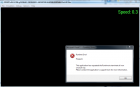
I do need to update something?
Posts: 24
Threads: 2
Joined: Jun 2013
Reputation:
0
Quote:I checked the system:
Inter® Core™ i7 CPU 870 @2.93GHz
NVIDIA geForce GTX 460
I run it in the latest build and it comes up with
I do need to update something?
have you tried the lower rev ?
your PC should work fine
but i dont think your laptop, cause the gpu i think
try rev 734
PC that I use :
CPU: Intel i3 530 @2.93Ghz
GPU: Radeon HD 4600 series
RAM: 2Gb DDR3
OS: Windows 7 x86 SP1
Posts: 730
Threads: 9
Joined: Apr 2013
Reputation:
17
(07-27-2013, 01:53 AM)Diclonius Wrote: (07-27-2013, 12:31 AM)kerupukalot Wrote: (07-26-2013, 10:44 AM)Diclonius Wrote: (07-26-2013, 10:22 AM)kerupukalot Wrote: (07-26-2013, 09:38 AM)Diclonius Wrote: The speed is fine, i want to be able to play it without the black menus, otherwise i won't beable to know what i'm doing, also it wasn't translated when the cat thing spoke, was that normal or did the patch not work?
have you tried playing the game without patch?
if the black box still there, then there's something wrong with you gpu, if not then maybe you patch the game wrong (make sure it's the right patch, or try download the older version)
im using this version http://www.ziddu.com/download/22379957/M...0.zip.html
I ran the EBBOT.PBP and then the unpatched .iso and both come up with the same problem as the patched iso.
How can i find out the problem with the gpu then?
how about trying another game? are they have any major graphical problem or not. Or playing it on other's computer, there's so many other options you can try before deciding it's you gpu fault or not.
I've already been playing 'Black Rock Shooter THE GAME' with no problems what so ever, i'm about to try it on another PC that is probably better than my laptop
I checked the system:
Inter® Core™ i7 CPU 870 @2.93GHz
NVIDIA geForce GTX 460
I run it in the latest build and it comes up with
I do need to update something? You may need this or at least updated to latest version, try that first - http://www.microsoft.com/en-us/download/...px?id=5555
Posts: 16
Threads: 0
Joined: Jul 2013
Reputation:
0
(07-27-2013, 10:52 PM)Skcyte Wrote: Quote:I checked the system:
Inter® Core™ i7 CPU 870 @2.93GHz
NVIDIA geForce GTX 460
I run it in the latest build and it comes up with
I do need to update something?
have you tried the lower rev ?
your PC should work fine
but i dont think your laptop, cause the gpu i think
try rev 734
Tried it on Rev 734 and it has the same problem as my laptop, no intro vid/funny menus.
i don't think it's my laptop thats the problem now, did i do something wrong in the patch?
Posts: 553
Threads: 9
Joined: Jun 2013
Reputation:
10
(07-28-2013, 04:34 AM)Diclonius Wrote: Tried it on Rev 734 and it has the same problem as my laptop, no intro vid/funny menus.
i don't think it's my laptop thats the problem now, did i do something wrong in the patch?
As for now you can't see any kind of intro or vids from this game (PS3 version) since the encoding is unsupported at this moment. As an advice I suggest you to try with a clean dump for your test, then, if the game run as intended try applying the patch.
Since English is not my first language sorry for some misspelling on my posts
Posts: 16
Threads: 0
Joined: Jul 2013
Reputation:
0
(07-28-2013, 08:02 AM)Gurlok Wrote: (07-28-2013, 04:34 AM)Diclonius Wrote: Tried it on Rev 734 and it has the same problem as my laptop, no intro vid/funny menus.
i don't think it's my laptop thats the problem now, did i do something wrong in the patch?
As for now you can't see any kind of intro or vids from this game (PS3 version) since the encoding is unsupported at this moment. As an advice I suggest you to try with a clean dump for your test, then, if the game run as intended try applying the patch.
A clean dump starts from the extraction of the EBOOT.PBP from the .pkg file am i correct?
Posts: 16
Threads: 0
Joined: Jul 2013
Reputation:
0
Does it have to be done on a PS3 because like i said before i turned the .pkg into a Iso on windows
Posts: 553
Threads: 9
Joined: Jun 2013
Reputation:
10
(07-28-2013, 08:47 AM)Diclonius Wrote: A clean dump starts from the extraction of the EBOOT.PBP from the .pkg file am i correct?
Yes.
(07-28-2013, 11:18 AM)Diclonius Wrote: Does it have to be done on a PS3 because like i said before i turned the .pkg into a Iso on windows
If you used the pkg Decryptor you should be fine, I did the same and I have no issues at all.
Since English is not my first language sorry for some misspelling on my posts
|



