Posts: 141
Threads: 18
Joined: Dec 2013
Reputation:
0
(01-14-2014, 02:49 PM)GuilhermeGS2 Wrote: You're welcome. 
interesting!! i gonna try this way. thank anyway dude
my pc version:
windows 7 ultimate
my pc specs :
intel(R) core(TM)2 duo cpu
E7500 @2,93GHz
2,93GHz, 2,00 GB of RAM
sorry for bad english, i'm indonesian.
Posts: 2,880
Threads: 111
Joined: Dec 2012
Reputation:
45
OK, leave a feedback later.
Phones: Poco F3 8GB/256GB (Snapdragon 870 5G) and Redmi Note 6 Pro 4/64GB (Snapdragon 636)
PC: AMD Ryzen 5 3600 / 16GB RAM DDR4 3600MHz / NVIDIA GTX 1660 Ti 6GB / Windows 10 Pro
Posts: 38
Threads: 0
Joined: Jan 2014
Reputation:
0
As you can see in the image using CPU clock to 60 you're only dropping the max framerate, so the emulator tells that you're 100% speed but you're not in fact the gameplay is very choppy)
The best setting for GOD that I found and that gives a speed improvement without decreasing max framerate is 180
(01-13-2014, 10:57 PM)GuilhermeGS2 Wrote: Guys, I was playing God of War Ghost of Sparta few minutes ago with the DirectX version, I was playing with buffer rendering and the rendering resolution at 2x and was running at 100% (without framskipping). I was using the CPU Clock at 60Mhz, maybe if you guys put the clock at this speed, the game should run fast. Look at the attachment:
My settings (copied from ppsspp.ini):
Code: [CPU]
Jit = True
SeparateCPUThread = False
AtomicAudioLocks = False
SeparateIOThread = True
FastMemory = True
CPUSpeed = 60
[Graphics]
ShowFPSCounter = 3
RenderingMode = 1
SoftwareRendering = False
HardwareTransform = True
SoftwareSkinning = True
TextureFiltering = 3
InternalResolution = 2
FrameSkip = 0
FrameRate = 0
FrameSkipUnthrottle = False
ForceMaxEmulatedFPS = 60
AnisotropyLevel = 0
VertexCache = True
VertexDecoderJit = True
FullScreen = False
StretchToDisplay = False
TrueColor = True
MipMap = True
TexScalingLevel = 1
TexScalingType = 0
TexDeposterize = False
VSyncInterval = False
DisableStencilTest = False
AlwaysDepthWrite = False
TimerHack = False
LowQualitySplineBezier = False
PostShader = Off
[Sound]
Enable = True
VolumeBGM = 7
VolumeSFX = 7
LowLatency = False
[Control]
HapticFeedback = True
ShowTouchControls = False
ShowTouchCross = True
ShowTouchCircle = True
ShowTouchSquare = True
ShowTouchTriangle = True
ShowTouchStart = True
ShowTouchSelect = True
ShowTouchLTrigger = True
ShowTouchRTrigger = True
ShowAnalogStick = True
ShowTouchUnthrottle = True
ShowTouchDpad = True
AccelerometerToAnalogHoriz = False
TiltBaseX = 0.000000
TiltBaseY = 0.000000
InvertTiltX = False
InvertTiltY = True
TiltSensitivityX = 100
TiltSensitivityY = 100
DeadzoneRadius = 0.350000
TouchButtonOpacity = 65
ButtonScale = 1.150000
ActionButtonSpacing = 57
ActionButtonCenterX = 0.881250
ActionButtonCenterY = 0.790441
DPadRadius = 45
DPadX = 0.116667
DPadY = 0.494485
StartKeyX = 0.636458
StartKeyY = 0.873162
SelectKeyX = 0.500000
SelectKeyY = 0.873162
UnthrottleKeyX = 0.362500
UnthrottleKeyY = 0.873162
LKeyX = 0.083333
LKeyY = 0.082721
RKeyX = 0.928125
RKeyY = 0.082721
AnalogStickX = 0.116667
AnalogStickY = 0.830882
[SystemParam]
NickName = PPSSPP
Language = 1
TimeFormat = 1
DateFormat = 1
TimeZone = 0
DayLightSavings = False
ButtonPreference = 1
LockParentalLevel = 0
WlanAdhocChannel = 0
WlanPowerSave = False
EncryptSave = True
BypassOSKWithKeyboard = False
[Debugger]
DisasmWindowX = 203
DisasmWindowY = 56
DisasmWindowW = 781
DisasmWindowH = 708
GEWindowX = -1
GEWindowY = -1
GEWindowW = -1
GEWindowH = -1
ConsoleWindowX = -1
ConsoleWindowY = -1
FontWidth = 8
FontHeight = 12
DisplayStatusBar = True
ShowBottomTabTitles = True
ShowDeveloperMenu = False
SkipDeadbeefFilling = False
[SpeedHacks]
PrescaleUV = False
DisableAlphaTest = False
Posts: 2,880
Threads: 111
Joined: Dec 2012
Reputation:
45
I don't see problem in low FPS (isn't so low, is about 10-30). I guess if you want a bit more FPS, you must put the clock at 80 or 100, if increase much, I may lost speed.
Phones: Poco F3 8GB/256GB (Snapdragon 870 5G) and Redmi Note 6 Pro 4/64GB (Snapdragon 636)
PC: AMD Ryzen 5 3600 / 16GB RAM DDR4 3600MHz / NVIDIA GTX 1660 Ti 6GB / Windows 10 Pro
Posts: 38
Threads: 0
Joined: Jan 2014
Reputation:
0
Are you sure that 10-30 fps for a game supposed to play at 60 fps isn't low?
Posts: 2,880
Threads: 111
Joined: Dec 2012
Reputation:
45
01-14-2014, 10:32 PM
(This post was last modified: 01-14-2014, 10:41 PM by GuilhermeGS2.)
Yeah, but 30 FPS is a good speed, the most new games run at 30 FPS. The most time I get 20-25.
I'm gonna test the clock at 80 and 100.
I've put the clock at 80 and 100, but is wrost. I get the same FPS, but with less speed, even in non-buffer rendering mode. The FPS is always about 20-25, but at 60Mhz, I get 100% with buffer rendering and redering resolution at 2x. Well, also depend of the place where you are.
Phones: Poco F3 8GB/256GB (Snapdragon 870 5G) and Redmi Note 6 Pro 4/64GB (Snapdragon 636)
PC: AMD Ryzen 5 3600 / 16GB RAM DDR4 3600MHz / NVIDIA GTX 1660 Ti 6GB / Windows 10 Pro
Posts: 38
Threads: 0
Joined: Jan 2014
Reputation:
0
From my tests the only values that affect GOV Ghost of Sparta are multiple of 60 (60 - 120 -180 - 240...)
Posts: 2,880
Threads: 111
Joined: Dec 2012
Reputation:
45
01-14-2014, 11:07 PM
(This post was last modified: 01-14-2014, 11:10 PM by GuilhermeGS2.)
So I'm gonna test at 120.
My PC isn't powerful enough to get the max FPS, at 120 I get 23/53.
Phones: Poco F3 8GB/256GB (Snapdragon 870 5G) and Redmi Note 6 Pro 4/64GB (Snapdragon 636)
PC: AMD Ryzen 5 3600 / 16GB RAM DDR4 3600MHz / NVIDIA GTX 1660 Ti 6GB / Windows 10 Pro
Posts: 141
Threads: 18
Joined: Dec 2013
Reputation:
0
(01-13-2014, 10:57 PM)GuilhermeGS2 Wrote: Guys, I was playing God of War Ghost of Sparta few minutes ago with the DirectX version, I was playing with buffer rendering and the rendering resolution at 2x and was running at 100% (without framskipping). I was using the CPU Clock at 60Mhz, maybe if you guys put the clock at this speed, the game should run fast. Look at the attachment:
My settings (copied from ppsspp.ini):
Code: [CPU]
Jit = True
SeparateCPUThread = False
AtomicAudioLocks = False
SeparateIOThread = True
FastMemory = True
CPUSpeed = 60
[Graphics]
ShowFPSCounter = 3
RenderingMode = 1
SoftwareRendering = False
HardwareTransform = True
SoftwareSkinning = True
TextureFiltering = 3
InternalResolution = 2
FrameSkip = 0
FrameRate = 0
FrameSkipUnthrottle = False
ForceMaxEmulatedFPS = 60
AnisotropyLevel = 0
VertexCache = True
VertexDecoderJit = True
FullScreen = False
StretchToDisplay = False
TrueColor = True
MipMap = True
TexScalingLevel = 1
TexScalingType = 0
TexDeposterize = False
VSyncInterval = False
DisableStencilTest = False
AlwaysDepthWrite = False
TimerHack = False
LowQualitySplineBezier = False
PostShader = Off
[Sound]
Enable = True
VolumeBGM = 7
VolumeSFX = 7
LowLatency = False
[Control]
HapticFeedback = True
ShowTouchControls = False
ShowTouchCross = True
ShowTouchCircle = True
ShowTouchSquare = True
ShowTouchTriangle = True
ShowTouchStart = True
ShowTouchSelect = True
ShowTouchLTrigger = True
ShowTouchRTrigger = True
ShowAnalogStick = True
ShowTouchUnthrottle = True
ShowTouchDpad = True
AccelerometerToAnalogHoriz = False
TiltBaseX = 0.000000
TiltBaseY = 0.000000
InvertTiltX = False
InvertTiltY = True
TiltSensitivityX = 100
TiltSensitivityY = 100
DeadzoneRadius = 0.350000
TouchButtonOpacity = 65
ButtonScale = 1.150000
ActionButtonSpacing = 57
ActionButtonCenterX = 0.881250
ActionButtonCenterY = 0.790441
DPadRadius = 45
DPadX = 0.116667
DPadY = 0.494485
StartKeyX = 0.636458
StartKeyY = 0.873162
SelectKeyX = 0.500000
SelectKeyY = 0.873162
UnthrottleKeyX = 0.362500
UnthrottleKeyY = 0.873162
LKeyX = 0.083333
LKeyY = 0.082721
RKeyX = 0.928125
RKeyY = 0.082721
AnalogStickX = 0.116667
AnalogStickY = 0.830882
[SystemParam]
NickName = PPSSPP
Language = 1
TimeFormat = 1
DateFormat = 1
TimeZone = 0
DayLightSavings = False
ButtonPreference = 1
LockParentalLevel = 0
WlanAdhocChannel = 0
WlanPowerSave = False
EncryptSave = True
BypassOSKWithKeyboard = False
[Debugger]
DisasmWindowX = 203
DisasmWindowY = 56
DisasmWindowW = 781
DisasmWindowH = 708
GEWindowX = -1
GEWindowY = -1
GEWindowW = -1
GEWindowH = -1
ConsoleWindowX = -1
ConsoleWindowY = -1
FontWidth = 8
FontHeight = 12
DisplayStatusBar = True
ShowBottomTabTitles = True
ShowDeveloperMenu = False
SkipDeadbeefFilling = False
[SpeedHacks]
PrescaleUV = False
DisableAlphaTest = False
thanks again dude, cuz this setting i've beaten god of war ghost of sparta. but when i tried god of war chain of olympus, this setting didn't worked anymore. that make the game very slow , see the fps n speed in this picture below
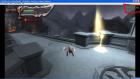
could u help me once again??
my pc version:
windows 7 ultimate
my pc specs :
intel(R) core(TM)2 duo cpu
E7500 @2,93GHz
2,93GHz, 2,00 GB of RAM
sorry for bad english, i'm indonesian.
Posts: 2,880
Threads: 111
Joined: Dec 2012
Reputation:
45
01-18-2014, 02:30 AM
(This post was last modified: 01-18-2014, 02:31 AM by GuilhermeGS2.)
I'm almost sure that it's happening because the God of War Chains of Olympus has problems of slow down on recent builds when using buffer rendering. Try a most older build, or the official 0.9.6.
Phones: Poco F3 8GB/256GB (Snapdragon 870 5G) and Redmi Note 6 Pro 4/64GB (Snapdragon 636)
PC: AMD Ryzen 5 3600 / 16GB RAM DDR4 3600MHz / NVIDIA GTX 1660 Ti 6GB / Windows 10 Pro
Posts: 141
Threads: 18
Joined: Dec 2013
Reputation:
0
(01-18-2014, 02:30 AM)GuilhermeGS2 Wrote: I'm almost sure that it's happening because the God of War Chains of Olympus has problems of slow down on recent builds when using buffer rendering. Try a most older build, or the official 0.9.6.
i got the setting that a bit speed gow chain of olympus but under average speed. my ppsspp v0.9.5 work on best but it's sometime annoyed me when sudden close appeared.
my pc version:
windows 7 ultimate
my pc specs :
intel(R) core(TM)2 duo cpu
E7500 @2,93GHz
2,93GHz, 2,00 GB of RAM
sorry for bad english, i'm indonesian.
Posts: 9
Threads: 0
Joined: Jan 2014
Reputation:
0
Posts: 680
Threads: 1
Joined: Jan 2014
Reputation:
15
might be( or might not) fixed with the latest build..
http://buildbot.orphis.net/ppsspp/
just try
if you value your life, Do not talk to me.. Or you will DiE !
I am a bad person.
shiiishiii //^_^/\
Posts: 9
Threads: 0
Joined: Jan 2014
Reputation:
0
Thank you. I've just instaled the newest version of this emulator , it's faster but unfortunatly this game is still dark . Is it any other option to make it brighter ?
Posts: 2,880
Threads: 111
Joined: Dec 2012
Reputation:
45
Use buffer rendering, but you'll get speed drop, not much if use a low rendering resolution, like 1x.
Phones: Poco F3 8GB/256GB (Snapdragon 870 5G) and Redmi Note 6 Pro 4/64GB (Snapdragon 636)
PC: AMD Ryzen 5 3600 / 16GB RAM DDR4 3600MHz / NVIDIA GTX 1660 Ti 6GB / Windows 10 Pro
|



