Posts: 141
Threads: 18
Joined: Dec 2013
Reputation:
0
me too, no problem dude. btw i have ppsspp v0.9.5 that work with buffer rendering on, good graphic ,and fast speed. but there is one weakness, the game occasionally close itself when you turning on touch screen button. so to solved it, press f2 in appropriate time.
my pc version:
windows 7 ultimate
my pc specs :
intel(R) core(TM)2 duo cpu
E7500 @2,93GHz
2,93GHz, 2,00 GB of RAM
sorry for bad english, i'm indonesian.
Posts: 604
Threads: 24
Joined: Nov 2012
Reputation:
12
I'm playing it on PC and every other game is working full speed for me. Only God of War games are working slow. They work fast in non-buffered mode, but i don't wanna play it that way.
@ade32, can you send me link to that 0.9.5 version? Tnx you 
PC Specs:
GPU: AMD Radeon R9 270X 2GB GDDR5 (Sapphire Vapor-X)
CPU: AMD Ryzen 3 1200 3.9GHz (OC)
RAM: 8GB DDR4 2400 MHz
MB: ASRock AB350 Pro4
OS: Windows 10 PRO x64
Posts: 2,880
Threads: 111
Joined: Dec 2012
Reputation:
45
I only can play it at good speed using buffer rendering if I put the screen size at 1x and the rendering resolution also at 1x.
Phones: Poco F3 8GB/256GB (Snapdragon 870 5G) and Redmi Note 6 Pro 4/64GB (Snapdragon 636)
PC: AMD Ryzen 5 3600 / 16GB RAM DDR4 3600MHz / NVIDIA GTX 1660 Ti 6GB / Windows 10 Pro
Posts: 997
Threads: 72
Joined: Jun 2013
Reputation:
17
If someone has cleared both of those games,can you tell me which rev did he\she used to beat the game.
I don't want to stat the game,encounter a bug and then start checking which rev will allow me to continue the game.
Using PPSSPP on Windows 7 x64 SP1
i7 4771 3.5Ghz,GTX750TI,16GB RAM
Batch iso <=> cso converter
http://forums.ppsspp.org/showthread.php?tid=5384
Save Game\States Manager
http://forums.ppsspp.org/showthread.php?tid=5516
Posts: 2,880
Threads: 111
Joined: Dec 2012
Reputation:
45
I finished the God of War Chains of Olympus, but was in old versions. I also know many persons that finished the Ghost of Sparta. I think you should go ahead.
Phones: Poco F3 8GB/256GB (Snapdragon 870 5G) and Redmi Note 6 Pro 4/64GB (Snapdragon 636)
PC: AMD Ryzen 5 3600 / 16GB RAM DDR4 3600MHz / NVIDIA GTX 1660 Ti 6GB / Windows 10 Pro
Posts: 141
Threads: 18
Joined: Dec 2013
Reputation:
0
(01-12-2014, 10:15 AM)srdjan1995 Wrote: I'm playing it on PC and every other game is working full speed for me. Only God of War games are working slow. They work fast in non-buffered mode, but i don't wanna play it that way.
@ade32, can you send me link to that 0.9.5 version? Tnx you
aye aye aye captain  http://www.4shared.com/file/XBa_ioVHba/ppsspp_v095.html
i shall remind u b4 use this. this is a 7zip compression file, it size 260mb(40% of 680mb) . remember , it's occasionally sudden stop and close but sometime quick kill close. u need to press f2 every important moment. that because touch-screen button is on, it's for solved the problem on rotate analog command such as this pic below
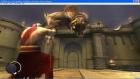
good luck
my pc version:
windows 7 ultimate
my pc specs :
intel(R) core(TM)2 duo cpu
E7500 @2,93GHz
2,93GHz, 2,00 GB of RAM
sorry for bad english, i'm indonesian.
Posts: 2,880
Threads: 111
Joined: Dec 2012
Reputation:
45
Why this file has 272mb?
Phones: Poco F3 8GB/256GB (Snapdragon 870 5G) and Redmi Note 6 Pro 4/64GB (Snapdragon 636)
PC: AMD Ryzen 5 3600 / 16GB RAM DDR4 3600MHz / NVIDIA GTX 1660 Ti 6GB / Windows 10 Pro
Posts: 141
Threads: 18
Joined: Dec 2013
Reputation:
0
(01-12-2014, 04:28 PM)GuilhermeGS2 Wrote: Why this file has 272mb?
i'm sorry i can't recalled number correctly, btw the difference is only 12 between 260mb n 272mb. still big file, why?? because there a lot savedata, savestate, n cheat of a game are exist on memstick. u could deleted them n remain g.o.w only. my g.o.w region is europe.
my pc version:
windows 7 ultimate
my pc specs :
intel(R) core(TM)2 duo cpu
E7500 @2,93GHz
2,93GHz, 2,00 GB of RAM
sorry for bad english, i'm indonesian.
Posts: 604
Threads: 24
Joined: Nov 2012
Reputation:
12
PC Specs:
GPU: AMD Radeon R9 270X 2GB GDDR5 (Sapphire Vapor-X)
CPU: AMD Ryzen 3 1200 3.9GHz (OC)
RAM: 8GB DDR4 2400 MHz
MB: ASRock AB350 Pro4
OS: Windows 10 PRO x64
Posts: 141
Threads: 18
Joined: Dec 2013
Reputation:
0
my pc version:
windows 7 ultimate
my pc specs :
intel(R) core(TM)2 duo cpu
E7500 @2,93GHz
2,93GHz, 2,00 GB of RAM
sorry for bad english, i'm indonesian.
Posts: 38
Threads: 0
Joined: Jan 2014
Reputation:
0
All of you who have performance problems, remember that revision 9.6.334 has introduced a performance bug so there's a huge slowdown when using resuolution higher than 2X...Since this hasn't yet been fixed I suggest to stick with a previous revision (for Windows is 9.6.317).
Just to make you understand what I mean, only in the Menu screen using 9.6.317 I get 135 fps, while 9.6.401 has only 75 (yes it's 60 fps less!!)
Posts: 2,880
Threads: 111
Joined: Dec 2012
Reputation:
45
(01-12-2014, 05:22 PM)ade32 Wrote: (01-12-2014, 04:28 PM)GuilhermeGS2 Wrote: Why this file has 272mb?
i'm sorry i can't recalled number correctly, btw the difference is only 12 between 260mb n 272mb. still big file, why?? because there a lot savedata, savestate, n cheat of a game are exist on memstick. u could deleted them n remain g.o.w only. my g.o.w region is europe.
OK!
Phones: Poco F3 8GB/256GB (Snapdragon 870 5G) and Redmi Note 6 Pro 4/64GB (Snapdragon 636)
PC: AMD Ryzen 5 3600 / 16GB RAM DDR4 3600MHz / NVIDIA GTX 1660 Ti 6GB / Windows 10 Pro
Posts: 2,880
Threads: 111
Joined: Dec 2012
Reputation:
45
01-13-2014, 10:57 PM
(This post was last modified: 01-13-2014, 10:59 PM by GuilhermeGS2.)
Guys, I was playing God of War Ghost of Sparta few minutes ago with the DirectX version, I was playing with buffer rendering and the rendering resolution at 2x and was running at 100% (without framskipping). I was using the CPU Clock at 60Mhz, maybe if you guys put the clock at this speed, the game should run fast. Look at the attachment:

My settings (copied from ppsspp.ini):
Code: [CPU]
Jit = True
SeparateCPUThread = False
AtomicAudioLocks = False
SeparateIOThread = True
FastMemory = True
CPUSpeed = 60
[Graphics]
ShowFPSCounter = 3
RenderingMode = 1
SoftwareRendering = False
HardwareTransform = True
SoftwareSkinning = True
TextureFiltering = 3
InternalResolution = 2
FrameSkip = 0
FrameRate = 0
FrameSkipUnthrottle = False
ForceMaxEmulatedFPS = 60
AnisotropyLevel = 0
VertexCache = True
VertexDecoderJit = True
FullScreen = False
StretchToDisplay = False
TrueColor = True
MipMap = True
TexScalingLevel = 1
TexScalingType = 0
TexDeposterize = False
VSyncInterval = False
DisableStencilTest = False
AlwaysDepthWrite = False
TimerHack = False
LowQualitySplineBezier = False
PostShader = Off
[Sound]
Enable = True
VolumeBGM = 7
VolumeSFX = 7
LowLatency = False
[Control]
HapticFeedback = True
ShowTouchControls = False
ShowTouchCross = True
ShowTouchCircle = True
ShowTouchSquare = True
ShowTouchTriangle = True
ShowTouchStart = True
ShowTouchSelect = True
ShowTouchLTrigger = True
ShowTouchRTrigger = True
ShowAnalogStick = True
ShowTouchUnthrottle = True
ShowTouchDpad = True
AccelerometerToAnalogHoriz = False
TiltBaseX = 0.000000
TiltBaseY = 0.000000
InvertTiltX = False
InvertTiltY = True
TiltSensitivityX = 100
TiltSensitivityY = 100
DeadzoneRadius = 0.350000
TouchButtonOpacity = 65
ButtonScale = 1.150000
ActionButtonSpacing = 57
ActionButtonCenterX = 0.881250
ActionButtonCenterY = 0.790441
DPadRadius = 45
DPadX = 0.116667
DPadY = 0.494485
StartKeyX = 0.636458
StartKeyY = 0.873162
SelectKeyX = 0.500000
SelectKeyY = 0.873162
UnthrottleKeyX = 0.362500
UnthrottleKeyY = 0.873162
LKeyX = 0.083333
LKeyY = 0.082721
RKeyX = 0.928125
RKeyY = 0.082721
AnalogStickX = 0.116667
AnalogStickY = 0.830882
[SystemParam]
NickName = PPSSPP
Language = 1
TimeFormat = 1
DateFormat = 1
TimeZone = 0
DayLightSavings = False
ButtonPreference = 1
LockParentalLevel = 0
WlanAdhocChannel = 0
WlanPowerSave = False
EncryptSave = True
BypassOSKWithKeyboard = False
[Debugger]
DisasmWindowX = 203
DisasmWindowY = 56
DisasmWindowW = 781
DisasmWindowH = 708
GEWindowX = -1
GEWindowY = -1
GEWindowW = -1
GEWindowH = -1
ConsoleWindowX = -1
ConsoleWindowY = -1
FontWidth = 8
FontHeight = 12
DisplayStatusBar = True
ShowBottomTabTitles = True
ShowDeveloperMenu = False
SkipDeadbeefFilling = False
[SpeedHacks]
PrescaleUV = False
DisableAlphaTest = False
Phones: Poco F3 8GB/256GB (Snapdragon 870 5G) and Redmi Note 6 Pro 4/64GB (Snapdragon 636)
PC: AMD Ryzen 5 3600 / 16GB RAM DDR4 3600MHz / NVIDIA GTX 1660 Ti 6GB / Windows 10 Pro
Posts: 604
Threads: 24
Joined: Nov 2012
Reputation:
12
(01-13-2014, 10:57 PM)GuilhermeGS2 Wrote: Guys, I was playing God of War Ghost of Sparta few minutes ago with the DirectX version, I was playing with buffer rendering and the rendering resolution at 2x and was running at 100% (without framskipping). I was using the CPU Clock at 60Mhz, maybe if you guys put the clock at this speed, the game should run fast. Look at the attachment:
My settings (copied from ppsspp.ini):
Code: [CPU]
Jit = True
SeparateCPUThread = False
AtomicAudioLocks = False
SeparateIOThread = True
FastMemory = True
CPUSpeed = 60
[Graphics]
ShowFPSCounter = 3
RenderingMode = 1
SoftwareRendering = False
HardwareTransform = True
SoftwareSkinning = True
TextureFiltering = 3
InternalResolution = 2
FrameSkip = 0
FrameRate = 0
FrameSkipUnthrottle = False
ForceMaxEmulatedFPS = 60
AnisotropyLevel = 0
VertexCache = True
VertexDecoderJit = True
FullScreen = False
StretchToDisplay = False
TrueColor = True
MipMap = True
TexScalingLevel = 1
TexScalingType = 0
TexDeposterize = False
VSyncInterval = False
DisableStencilTest = False
AlwaysDepthWrite = False
TimerHack = False
LowQualitySplineBezier = False
PostShader = Off
[Sound]
Enable = True
VolumeBGM = 7
VolumeSFX = 7
LowLatency = False
[Control]
HapticFeedback = True
ShowTouchControls = False
ShowTouchCross = True
ShowTouchCircle = True
ShowTouchSquare = True
ShowTouchTriangle = True
ShowTouchStart = True
ShowTouchSelect = True
ShowTouchLTrigger = True
ShowTouchRTrigger = True
ShowAnalogStick = True
ShowTouchUnthrottle = True
ShowTouchDpad = True
AccelerometerToAnalogHoriz = False
TiltBaseX = 0.000000
TiltBaseY = 0.000000
InvertTiltX = False
InvertTiltY = True
TiltSensitivityX = 100
TiltSensitivityY = 100
DeadzoneRadius = 0.350000
TouchButtonOpacity = 65
ButtonScale = 1.150000
ActionButtonSpacing = 57
ActionButtonCenterX = 0.881250
ActionButtonCenterY = 0.790441
DPadRadius = 45
DPadX = 0.116667
DPadY = 0.494485
StartKeyX = 0.636458
StartKeyY = 0.873162
SelectKeyX = 0.500000
SelectKeyY = 0.873162
UnthrottleKeyX = 0.362500
UnthrottleKeyY = 0.873162
LKeyX = 0.083333
LKeyY = 0.082721
RKeyX = 0.928125
RKeyY = 0.082721
AnalogStickX = 0.116667
AnalogStickY = 0.830882
[SystemParam]
NickName = PPSSPP
Language = 1
TimeFormat = 1
DateFormat = 1
TimeZone = 0
DayLightSavings = False
ButtonPreference = 1
LockParentalLevel = 0
WlanAdhocChannel = 0
WlanPowerSave = False
EncryptSave = True
BypassOSKWithKeyboard = False
[Debugger]
DisasmWindowX = 203
DisasmWindowY = 56
DisasmWindowW = 781
DisasmWindowH = 708
GEWindowX = -1
GEWindowY = -1
GEWindowW = -1
GEWindowH = -1
ConsoleWindowX = -1
ConsoleWindowY = -1
FontWidth = 8
FontHeight = 12
DisplayStatusBar = True
ShowBottomTabTitles = True
ShowDeveloperMenu = False
SkipDeadbeefFilling = False
[SpeedHacks]
PrescaleUV = False
DisableAlphaTest = False
Hey man, tnx for the config. I tried this in Chains of Olympus, game is running at 100% speed now, but game is not fluid as it should be, audio is choopy and many other problems are there. But anyway, game is working alot faster now. Even tho it can be somehow played now, i will wait for the game to be fixed. Tnx you again.
PC Specs:
GPU: AMD Radeon R9 270X 2GB GDDR5 (Sapphire Vapor-X)
CPU: AMD Ryzen 3 1200 3.9GHz (OC)
RAM: 8GB DDR4 2400 MHz
MB: ASRock AB350 Pro4
OS: Windows 10 PRO x64
Posts: 2,880
Threads: 111
Joined: Dec 2012
Reputation:
45
You're welcome.
Phones: Poco F3 8GB/256GB (Snapdragon 870 5G) and Redmi Note 6 Pro 4/64GB (Snapdragon 636)
PC: AMD Ryzen 5 3600 / 16GB RAM DDR4 3600MHz / NVIDIA GTX 1660 Ti 6GB / Windows 10 Pro
|


