


Face texture is wrong?What should I do?

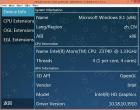
Another computer WIN7 + E3 1230v2 + GTX760 map display normal
Another computer WIN7 + E3 1230v2 + GTX760 map display normal

 Tokimeki Memorial 4
|
Tokimeki Memorial 4
|

Face texture is wrong?What should I do?
Another computer WIN7 + E3 1230v2 + GTX760 map display normal

01-18-2015, 05:38 PM
Merged.
♦ Intel Core i7-6700HQ | 16 GB RAM | NVIDIA GeForce GTX 960M | Debian Testing
♦ Intel Core i7-2630QM | 4 GB RAM | NVIDIA GeForce GT 540M | Debian Testing ♦ PSP-3004 | 6.60 PRO-C2
01-20-2015, 12:52 AM
Try the latest version of 0.9.9.1-1571. The problem is still

05-18-2015, 01:41 AM
Format : ISO Version : ppsspp-v1.0.1-472-g337d7d8-windows-x86 Game ID : NPJH50127 GameName: Tokimeki Memorial 4、ときめきメモリアル4 OS : Win Compatability :Figure CG facial lines have a problem
05-19-2015, 11:06 AM
Merged.
♦ Intel Core i7-6700HQ | 16 GB RAM | NVIDIA GeForce GTX 960M | Debian Testing
♦ Intel Core i7-2630QM | 4 GB RAM | NVIDIA GeForce GT 540M | Debian Testing ♦ PSP-3004 | 6.60 PRO-C2
Still some bug
strange body 
04-01-2017, 02:39 PM
has anyone found the solution for the graphical glitch on the face and the body? is v0.8.1-1173 still the best environment for this game?

So, ok out of curiosity i checked it and most of the settings will cause horrible glitches, i found a settings that is good enough for me.
Rendering backend: DirectX 11 Rendering mode: Read to memory. Result: It's not perfect but it's better than what some are getting.
10-12-2017, 03:57 AM
(This post was last modified: 10-12-2017, 04:05 AM by bomberman46.)
(07-22-2017, 01:32 PM)NicoBlog Wrote: So, ok out of curiosity i checked it and most of the settings will cause horrible glitches, i found a settings that is good enough for me. I tried your suggestion and this is what I'm getting: I have a potato so I'm using DirectX 9 instead of 11 though. Maybe that's why it still has the graphic glitches? If I don't do 'Read to memory' for the rendering mode and use the regular buffered rendering, the body is connected but the face makeup is still there along with the slenderman arms: At this point, I'm out of idea as to how to fix this game. Every option I tried still doesn't seem to fix the messed up graphics. EDIT: Wow its been almost a year since my last post in this thread.
It seems that setting the rendering mode to read to memory does indeed fix the bug in regards to the strange looking character body below the text box. Unfortunately, doing so would cause the game graphics and character models to not look as good as compared to using the buffered rendering setting.
10-08-2023, 11:49 PM
I am hitting the same stretched graphics issue. It appears the read-to-memory option no longer exists; is anyone aware of a current workaround?
02-17-2024, 03:13 AM
(This post was last modified: 02-17-2024, 03:14 AM by TrendingNonGamer.)
It looks like this issue is fixed in the latest release! From https://www.ppsspp.org/news/release-1.17/:
* Fix graphics in Tokimeki Memorial 4  NPJH50127_00011.jpg (Size: 402.37 KB / Downloads: 561) |
|
« Next Oldest | Next Newest »
|
