Posts: 36
Threads: 3
Joined: Sep 2017
Reputation:
5
 12-25-2017, 01:49 PM
Hi! I tried extracting some textures from the game, and most of them look fine, but some are completely blank (I tried changing the opacity but it seems to be blank) :/ The only thing I can see is the preview image in xnview's tab for the image.
I haven't been able to find the textures for the cards (neither preview nor full scale), so I'm guessing the blank ones are those.
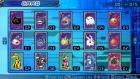
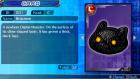
These are the ones I'm looking for:
Persona 3 Portable HD Texture Pack:
http://forums.ppsspp.org/showthread.php?tid=23509
Posts: 1,795
Threads: 17
Joined: Sep 2013
Reputation:
158
It's not blank, just transparent. Alpha is set to 0 for all pixels in those images. Just replace all alpha == 0 to 255, then change it back after finishing your edits.
http://forums.ppsspp.org/showthread.php?tid=6594 - Custom PPSSPP Shaders!
http://forums.ppsspp.org/showthread.php?tid=3590&pid=117172#pid117172 - simple CE scripts to help creating CWCheats,
https://github.com/LunaMoo/PPSSPP_workarounds - CWCheat workarounds.
Posts: 36
Threads: 3
Joined: Sep 2017
Reputation:
5
(12-26-2017, 08:24 AM)LunaMoo Wrote: It's not blank, just transparent. Alpha is set to 0 for all pixels in those images. Just replace all alpha == 0 to 255, then change it back after finishing your edits.
Thanks! I thought they were blank because I tried changing opacity in GIMP with Tools>GEGL Operation>Opacity, but it did nothing :/
For anyone interested, I placed the textures in question in a separate folder and runned the following line in cmd to fix them:
FOR %A IN (*.png) DO magick convert "%A" -alpha on -channel a -evaluate set 100% "%A"
PS: Strangely, they actually work just fine without changing the alpha back to 0
Persona 3 Portable HD Texture Pack:
http://forums.ppsspp.org/showthread.php?tid=23509




