Hi.
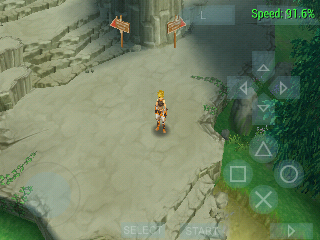
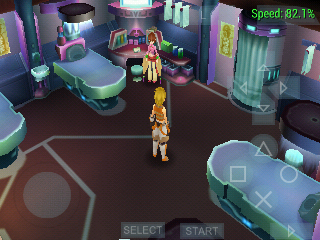
Game is fully playable now on win7 64.
Tested on builds:
0.9.5 - 550-g1a6b4ce <- (playable) tested date: 06.12.13 / 27h of gameplay no freezy no crash / BGM set to OFF in game settings - disappearing BGM sound after few(5-10) fights
0.9.5 - 726-gade1884 <- (playable) tested date: 02.12.13 / 2h of gameplay no freezy no crash / BGM set to OFF...
0.9.5 - 775-g87f781b <- (playable) tested date: ??.??.13 / 15h of gameplay no freezy no crash / BGM set to OFF...
0.9.5 - 850-g0bdf17b <- (playable) tested date: 04.12.13 / 5h of gameplay no freezy no crash / BGM set to OFF...
0.9.5-1015-ga53f873 <- (playable) tested date: 10.12.13 / 7h of gameplay no freezy no crash / BGM set to OFF...
0.9.5-1065-g8ecc161<- (playable) tested date: 11.12.13 / 2h of gameplay no freezy no crash / BGM set to OFF...
I'm currently using to play this game this v0.9.5-1065-g8ecc161 its good build for Intel i7 cpu, we can use now up to 8 cores that give huge speed in games!
30/30 FPS all time - 100% speed
Game ISO used for this:
Tales of the World: Radiant Mythology 3 ENGLISH PRE-PATCHED v1.02 with fixed freezing/crashing bug.
The only bug is disappearing BGM sound after few(5-10) fights, but characters voices, event voices, effect sounds works fine.
I also used a lot of cwcheats and game work fine with them. CWCheats that I use:
http://forums.ppsspp.org/showthread.php?tid=7659
(IMPORTANT! Make sure you disable cwcheats before starting game, because the game may don't start if you first turn on the cwcheats, keep that in mind)
And like I said the only problem is with disappearing BGM sound after few fights, but you can live with it!
I think the music from the map is applied to the music of skirmishes and they block each other.
My laptop:
Dell Inspiron 7110
OS: Win7 64bit - build 7600
6GB RAM
Processor: Intel i7, 3,1GHz - quad 4 core / 8 threads
Graphic card: nVidia 525 - 1 GB
Microsoft Visuals C++ 2005 Redistributable
Microsoft Visuals C++ 2008 Redistributable - x86 9.0.30729.17
Microsoft Visuals C++ 2010 Redistributable x64 - 10.0.30319
Microsoft Visuals C++ 2010 Redistributable x86 - 10.0.30319
When you running PPSSPP remember it's writen in C++, so keep installed all Microsoft Visuals C++ on your PC.
NEVER remove a version!
They install side by side in the WinSxS folder and the applications picks the version they needs.
Settings used for PPSSPP:
Compatibility: Run PPSSPP as Administrator
Task Menager: PPSSPPWindows64.exe set priority to "High"
Graphics:
Mode: buffered rendering
Frameskipping: OFF
Prevent FPS: ON
Alternative speed: unlimited
Postprocessing shader: LunaMoo's special shader (FXAA+Bloom+Natural Colors+Gamma)
Mipmapping: OFF
Rendering resolution: x3
VSync: ON
Hardware transfrom: ON
Software skinning: ON
Vertex cache: OFF <- turn it OFF if you don't see walls(or if you see blue walls too) in some dungeons.
Vertex decoder JIT: ON <- have to be ON when you disable vertex cache
Upscale level: 3x
Upscale type: hybrid+bicubic
Deposterize: OFF
Anisotropic filltering: x4
Texture filter: linear
All hacks: OFF
System settings:
Fast memory: OFF
Multithreaded: ON - don't work without I/O.
I/O on thread: ON - have to be ON if you want to use Multithreaded option.
Atomic audio locks: OFF
Developers tools:
Dynarec JIT: ON
Enable debug logging: OFF