Posts: 5,371
Threads: 14
Joined: Mar 2013
Reputation:
303
(05-04-2013, 11:38 AM)kevke96 Wrote: Edit: Just tested it with a few 3D games. It really scales up every texture you throw at it. Can look nice or awful depending on the game.
Yes, I tested it on Monster Hunter Freedom Unite and I don't like it... I find this option makes the graphical defects more visible 
♦ Intel Core i7-6700HQ | 16 GB RAM | NVIDIA GeForce GTX 960M | Debian Testing
♦ Intel Core i7-2630QM | 4 GB RAM | NVIDIA GeForce GT 540M | Debian Testing
♦ PSP-3004 | 6.60 PRO-C2
Posts: 144
Threads: 7
Joined: Apr 2013
Reputation:
2
05-04-2013, 04:06 PM
(This post was last modified: 05-04-2013, 04:16 PM by kevke96.)
I tested it on Monster Hunter Freedom... makes the thing look quirky, to say the least.
Edit: Sharing the experience:
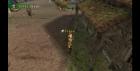
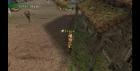
But overall Im glad to have it. Tomb Raider Anniversary looks awesome, for example.
Windows 7 x64: Intel Core i5 4570 @3.6 Ghz, ATI Radeon HD 7870
Android 4.4.2 (CM11): Samsung Galaxy S3 @ 4x1.6 Ghz CPU, 600Mhz GPU
Posts: 5,371
Threads: 14
Joined: Mar 2013
Reputation:
303
05-04-2013, 04:09 PM
(This post was last modified: 05-05-2013, 01:24 PM by vnctdj.)
(05-04-2013, 04:06 PM)kevke96 Wrote: I tested it on Monster Hunter Freedom... makes the thing look quirky, to say the least.
Edit: Sharing the experience:
OK, that's exactly the same on Monster Hunter Freedom Unite...
(05-04-2013, 04:06 PM)kevke96 Wrote: But overall Im glad to have it. Tomb Raider Anniversary looks awesome, for example.
So, that's a good thing this is just an option ! 
♦ Intel Core i7-6700HQ | 16 GB RAM | NVIDIA GeForce GTX 960M | Debian Testing
♦ Intel Core i7-2630QM | 4 GB RAM | NVIDIA GeForce GT 540M | Debian Testing
♦ PSP-3004 | 6.60 PRO-C2
Posts: 320
Threads: 12
Joined: Mar 2013
Reputation:
17
lol sory for too much question but wht about on texture scaling option
deposterize 2x 3x???which better???
then the type Hybrid(H),Bicubic(B),and H+B????wht is the best for fps???
Posts: 144
Threads: 7
Joined: Apr 2013
Reputation:
2
Deposterize fixes small in-texture glitches that may happen when the texture is upscaled, but you wont really notice that. More x means sharper textures but has a small performance impact and Bicubic is a less sharp but more realistic filtering, its combined with xBRZ in the H+B option.
I dont really know what the normal hybrid mode is, though. Maybe it combines xBRZ with linear filtering. For performance on phone, its best to just leave filtering off.
Windows 7 x64: Intel Core i5 4570 @3.6 Ghz, ATI Radeon HD 7870
Android 4.4.2 (CM11): Samsung Galaxy S3 @ 4x1.6 Ghz CPU, 600Mhz GPU
Posts: 3,228
Threads: 25
Joined: Nov 2012
Reputation:
98
Hybrid is a combination, yes, which reduces some noticeable artifacts when using xBRZ in some cases.
Depending on the game, it may not affect performance heavily. But in most games it will, or at least loading times.
-[Unknown]
Posts: 526
Threads: 13
Joined: Nov 2012
Reputation:
11
05-06-2013, 07:46 PM
(This post was last modified: 05-06-2013, 07:46 PM by Apology11.)
Is the true color option actually "true color" 24 Bit color depth or something else?
Posts: 726
Threads: 4
Joined: Nov 2012
Reputation:
29
(05-06-2013, 07:46 PM)Apology11 Wrote: Is the true color option actually "true color" 24 Bit color depth or something else?
Yes, 24-bit color + 8-bit alpha.
Even if the game requests something worse (like 16-bit).
Posts: 15
Threads: 4
Joined: Mar 2013
Reputation:
0
What is that Use Button X to Confirm option for?
Posts: 726
Threads: 4
Joined: Nov 2012
Reputation:
29
I believe some games use the 'O' button for confirm instead (depending on region?). That option tells every game you want to use 'X'.
Posts: 1,226
Threads: 9
Joined: Apr 2013
Reputation:
75
(05-14-2013, 02:44 PM)xsacha Wrote: I believe some games use the 'O' button for confirm instead (depending on region?). That option tells every game you want to use 'X'.
Even then, some games (noticeably from JPN region) will still ignore that option.
PPSSPP Modern Testbed:-
Intel Core i5 4690K @ 4.0 GHz
NVIDIA Geforce GTX 760 2GB GDDR5 VRAM @ 1138/6500 Mhz
16 GB DDR3 RAM @ 1600 MHz
Windows 7 x64 SP1
PPSSPP Ancient Testing Rig:-
Intel Core 2 Duo T9550 @ 2.8GHz
ATI Mobility Radeon 4670 1GB GDDR3 VRAM @ 843/882 MHz
8 GB DDR3 RAM @ 1066 MHz
Windows 7 x64 SP1
Posts: 264
Threads: 20
Joined: Dec 2012
Reputation:
5
(05-14-2013, 02:47 PM)solarmystic Wrote: (05-14-2013, 02:44 PM)xsacha Wrote: I believe some games use the 'O' button for confirm instead (depending on region?). That option tells every game you want to use 'X'.
Even then, some games (noticeably from JPN region) will still ignore that option.
That's because they don't have the option to change. 'O' is used to confirm in Japan. But for games that will change depending on region, i.e. Dissidia, this does make a difference.
Posts: 120
Threads: 3
Joined: May 2013
Reputation:
3
Can someone explain me the differences between Speed: Standard and Speed: Fixed?
Posts: 5,371
Threads: 14
Joined: Mar 2013
Reputation:
303
06-05-2013, 10:59 AM
(This post was last modified: 06-05-2013, 11:01 AM by vnctdj.)
(06-05-2013, 07:50 AM)Danyal Zia Wrote: Can someone explain me the differences between Speed: Standard and Speed: Fixed?
I think it means that you are using the following option :

Normally, it speed up the game when you press "Tab" key on your keyboard
♦ Intel Core i7-6700HQ | 16 GB RAM | NVIDIA GeForce GTX 960M | Debian Testing
♦ Intel Core i7-2630QM | 4 GB RAM | NVIDIA GeForce GT 540M | Debian Testing
♦ PSP-3004 | 6.60 PRO-C2
Posts: 120
Threads: 3
Joined: May 2013
Reputation:
3
I know that while holding "Tab" on Windows, games speeds up! But, I can't understand the difference between both of them. Either it's in Standard mode or in Fixed, there is no difference in speed and games only speeds up when we hold "Tab" So, what really is the difference between them? You are showing the Fps Limit option. Is Fps limit same as Fixed mode?
|




