Posts: 3
Threads: 0
Joined: Jul 2014
Reputation:
0
I just dled the latest Henrik version and now Crisis Core is back to crashing PPSSPP AND Kingdom Hearts BBS just displays a black screen. Dissidia and Dissidia 012 still work for the most part, as do my other games, but the only ones I'm worried about are CC and KHBBS. I tried and save state for KHBBS and it loaded up, but then wouldn't load up after going through a load zone. I'm gonna try a new CC ISO, but KH was working fine before so I doubt it's the iso. I need help with this man. I'm lost here. New to emulators that run iso roms. Anywhere I can learn more about the settings themselves and what they actually do? Not sure where to look on here. Any suggestions would be much appreciated.
Posts: 4
Threads: 0
Joined: Jun 2014
Reputation:
0
How is it in android?is it buggy?i'm using 0.9.6 version the 0.9.8 usually get some bugs with my game,is it happening to you guys when using 0.9.8?
Posts: 4
Threads: 0
Joined: Jun 2014
Reputation:
0
Sorry for double post,but crisis core work great in my galaxy note with ppsspp 0.9.6,by the way how can we post about how was the game performance to us so everyone knows is it buggy or not,i see some people posting that
Posts: 11
Threads: 0
Joined: Jun 2013
Reputation:
0
07-28-2014, 12:34 AM
(This post was last modified: 07-28-2014, 12:38 AM by huntersylch.)
played the game on build 0.9.8 and 0.9.9 build, both builds worked on android, but when buffer rendering is on, I noticed slow down on the latest build. haven't tried playing it with speed raised to nth%
using Samsung P6200 Galaxy Tab 7.0 Plus
OS v4.1 (Jelly Bean) (tried on both stock rom and custom rom)
Chipset Exynos 4210
CPU Dual-core 1.2 GHz
GPU Mali-400
Samsung P6200 Galaxy Tab 7.0 Plus
OS v4.1.2 (Jelly Bean, Stock & Custom ROM)
Mali-400 GPU , Exynos 4210 Chipset
Dual-core 1.2 GHz CPU
Posts: 3
Threads: 0
Joined: Jul 2014
Reputation:
0
On Moto X the games runs SUPER FINE!
From time to time in the Ifrit´s limit the sound stutter a little !
Posts: 21
Threads: 1
Joined: Aug 2014
Reputation:
0
08-10-2014, 06:09 AM
(This post was last modified: 08-10-2014, 06:17 AM by FrozenDevilz.)
Why after the intro movie the game always force closed?
The intro movie run very well though
Anyone know how to fix this?
Thanks before~
My Specs
OS: Microsoft Windows XP Professional (5.1, Build 2600)
System Manufacturer: TOSHIBA
System Model: Satellite C640
BIOS: InsydeH20 Ver. 03.61.081.30
Processor: Intel® Pentium® CPU B950 @ 2.10GHz (2 CPUs)
Memory: 1990MB RAM
DirectX Ver: DirectX 9.0c
Chip Type: Intel® HD Graphics Family
Chip Memory: 256.0 MB
Sound Output: Conexant HD Audio Output
My Graphic Settings
Rendering Mode
Mode: Non-Buffered Rendering
Block Transfer: Unticked
Frame Rate Control
Frameskipping: 2
Auto Frameskip: Ticked
GOW Speed Up: Ticked
Alternative Speed: 0
Features
Postprocessing Shader: Off
Fullscreen: Unticked
Stretch Display: Ticked
Small Display: Unticked
Performance
Rendering Resolution: 1x PSP
VSync: Unticked
Mipmapping: Unticked
Hardware Transform: Ticked
Software Skin: Ticked
Vertex Cache: Ticked
Lazy Texture Cache: Ticked
Retain Changed Textures: Ticked
Disable Slower Effects: Ticked
Spline/Bezier Curves Quality: High
Texture Scaling
Upscale Level: Auto
Upscale Type: xBRZ
Deposterize: Unticked
Texture Filtering
Anisotropic Filter: 16x
Texture Filtering: Auto
Hack Settings
Timer Hack: Unticked
Disable Alpha Test: Ticked
Disable Stencil Test: Unticked
Force Depth Write: Unticked
Texture Coord Speedhack: Ticked
Overlay Information
Show FPS Counter: None
Show debug Statistics: Unticked
Debugging
Dump Next Frame to Log: Disabled (Don't Know Why)
Software Rendering: Unticked
My System Settings
Fast Memory: Ticked
Multithreaded: Ticked
I/O on Thread: Unticked
Force Real Clock Sync: Unticke
Change Emulated PSP's CPU Clock: 0
Rewind Snapshot Frequency: 0
Atomic Audio Locks: Unticked
Enable Windows Native Keyboard: Unticked
PSP Model: PSP-2000/3000
Dynarec: Ticked
Dump Decrypted EBOOT.BIN on Game Boot: Unticked
Debug Logging: Unticked
My Discord Server: discord.me/devilzgaming
My Steam Group: http://steamcommunity.com/groups/DevilzGamingGroup
Posts: 730
Threads: 9
Joined: Apr 2013
Reputation:
17
Hi there,
Why are you using "Non-Buffered Rendering" ??? - Only use that if its absolutely necessary, i know it slows things but you get all special effects as they should be, correct lighting Etc Etc
Also change PSP Model to PSP-1000 as a few games don't like the other setting for some reason. (Killzone being one).
Posts: 21
Threads: 1
Joined: Aug 2014
Reputation:
0
Already change both, still got the Fatal Error after the intro movie
Wish I know how to record it so you can help me, but apparently I don't
My Discord Server: discord.me/devilzgaming
My Steam Group: http://steamcommunity.com/groups/DevilzGamingGroup
Posts: 54
Threads: 1
Joined: Apr 2014
Reputation:
2
(08-11-2014, 06:58 AM)FrozenDevilz Wrote: Already change both, still got the Fatal Error after the intro movie
Wish I know how to record it so you can help me, but apparently I don't
Try unticking Fast Memory and Multithreaded. Those two settings can cause crashes in certain games/situations. Your CPU (that's a mobile Sandy Bridge processor. It should be faster than mobile core 2 processors with the same clockspeed) should be enough to run this game without needing multithreading.
Main PC: Pentium g2020 (Ivy Bridge dual core, 2.9 ghz), Intel HD Graphics, 4 GB DDR3 Ram (3.5Gb usable), W7 64bit
Secondary PC: C2D e8400 (dual core 3.0 ghz), nVidia GT 240 GDDR5, 4 GB DDR2 Ram, W7 64bit
Laptop: AMD Turion X2 (dual core 1.80 ghz), ATI Xpress 1150 IGP, 2GB DDR2 SDRAM (1.7GB usable), W7 32bit
Posts: 21
Threads: 1
Joined: Aug 2014
Reputation:
0
08-12-2014, 12:05 PM
(This post was last modified: 08-12-2014, 12:34 PM by FrozenDevilz.)
(08-11-2014, 11:15 AM)tintinmayo Wrote: (08-11-2014, 06:58 AM)FrozenDevilz Wrote: Already change both, still got the Fatal Error after the intro movie
Wish I know how to record it so you can help me, but apparently I don't
Try unticking Fast Memory and Multithreaded. Those two settings can cause crashes in certain games/situations. Your CPU (that's a mobile Sandy Bridge processor. It should be faster than mobile core 2 processors with the same clockspeed) should be enough to run this game without needing multithreading.
Working so perfectly!! Thanks!! I saw other video on youtube said that Multithreading is needed for low specs pc so I just enabled it right after I download the emulator 
Thanks again, man!! 
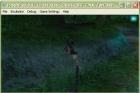
Well, then again, it's not working that perfect, as I found such bugs at the game that really disturbing, anyway to solve this bugs? 
My Discord Server: discord.me/devilzgaming
My Steam Group: http://steamcommunity.com/groups/DevilzGamingGroup
Posts: 997
Threads: 72
Joined: Jun 2013
Reputation:
17
FrozenDevilz I never had any problems with this game and it also works fine by using the exact same version of ppsspp(I'm using the x86 version)and all of your settings from the previous page.
PS.I've never used Multithreading on any game
Using PPSSPP on Windows 7 x64 SP1
i7 4771 3.5Ghz,GTX750TI,16GB RAM
Batch iso <=> cso converter
http://forums.ppsspp.org/showthread.php?tid=5384
Save Game\States Manager
http://forums.ppsspp.org/showthread.php?tid=5516
Posts: 54
Threads: 1
Joined: Apr 2014
Reputation:
2
08-12-2014, 03:57 PM
(This post was last modified: 08-12-2014, 04:04 PM by tintinmayo.)
(08-12-2014, 12:05 PM)FrozenDevilz Wrote: (08-11-2014, 11:15 AM)tintinmayo Wrote: (08-11-2014, 06:58 AM)FrozenDevilz Wrote: Already change both, still got the Fatal Error after the intro movie
Wish I know how to record it so you can help me, but apparently I don't
Try unticking Fast Memory and Multithreaded. Those two settings can cause crashes in certain games/situations. Your CPU (that's a mobile Sandy Bridge processor. It should be faster than mobile core 2 processors with the same clockspeed) should be enough to run this game without needing multithreading.
Working so perfectly!! Thanks!! I saw other video on youtube said that Multithreading is needed for low specs pc so I just enabled it right after I download the emulator
Thanks again, man!!
Well, then again, it's not working that perfect, as I found such bugs at the game that really disturbing, anyway to solve this bugs?
Try this setup:
Mode: Buffered Rendering
Block Transfer: Ticked
Frame Rate Control
Frameskipping: 2
Auto Frameskip: Ticked
GOW Speed Up: Ticked
Alternative Speed: 0
Rendering Resolution: 1x PSP
VSync: Unticked
Mipmapping: Unticked
Hardware Transform: Ticked
Software Skin: Ticked
Vertex Cache: Ticked
Lazy Texture Cache: Ticked
Retain Changed Textures: Ticked
Disable Slower Effects: Unticked
Spline/Bezier Curves Quality: High
Timer Hack: Unticked
Disable Alpha Test: Unticked
Disable Stencil Test: Unticked
Force Depth Write: Unticked
Texture Coord Speedhack: Unticked
If it gets too slow, untick Simulate Block Transfer, and if it's still too slow, change to non-buffered rendering.
Main PC: Pentium g2020 (Ivy Bridge dual core, 2.9 ghz), Intel HD Graphics, 4 GB DDR3 Ram (3.5Gb usable), W7 64bit
Secondary PC: C2D e8400 (dual core 3.0 ghz), nVidia GT 240 GDDR5, 4 GB DDR2 Ram, W7 64bit
Laptop: AMD Turion X2 (dual core 1.80 ghz), ATI Xpress 1150 IGP, 2GB DDR2 SDRAM (1.7GB usable), W7 32bit
Posts: 6
Threads: 0
Joined: Sep 2014
Reputation:
0
I'm using the latest SVN Build for PC, and the game seems to run normally, but after the intro and I go into the first battle, everytime I am about to attack or get hit, the emulator just crashes.
Should I use an older build, is there specific settings that I need to set for the game?
Posts: 1
Threads: 0
Joined: Oct 2014
Reputation:
0
Hi i just started playing crisis core on ppsspp for windows then i tried loading my saved game but it always go back at the start of the game. What could be the problem?
Posts: 5,371
Threads: 14
Joined: Mar 2013
Reputation:
303
Merged.
♦ Intel Core i7-6700HQ | 16 GB RAM | NVIDIA GeForce GTX 960M | Debian Testing
♦ Intel Core i7-2630QM | 4 GB RAM | NVIDIA GeForce GT 540M | Debian Testing
♦ PSP-3004 | 6.60 PRO-C2
|





