


For Adhoc Mode, since we're using the AdhocServer Application.
I'll would like try it first to confirm, if I have the time. So wait for my feedback.
For what Game is it? Some of the 'working" Games in the list are still having issues in Android, like Tekken6, GEB, etc. If not there are ticks and tricks that have to be done in the settings.
UPDATE
Success! but not as I said before.
Instructions:
->Connect your & his Phone to your router, and take note of your IP Address if you will host the AdhocServer. (ex. 192.168.0.14 you can find it in wifi settings-click the SSID/name of your router)
->In PPSSPP system setting: check enable wlan, input your IP Address in AdhocServer & Randomize your MacAdress. In the other Phone, Put the same IP Address, but make sure MacAdress is different.
->Start AdhocServer, don't kill it. Only for the host Phone. (If you're using the build with built-in AdhocServer, skip this step)
->Start PPSSPP, Launch the Game.
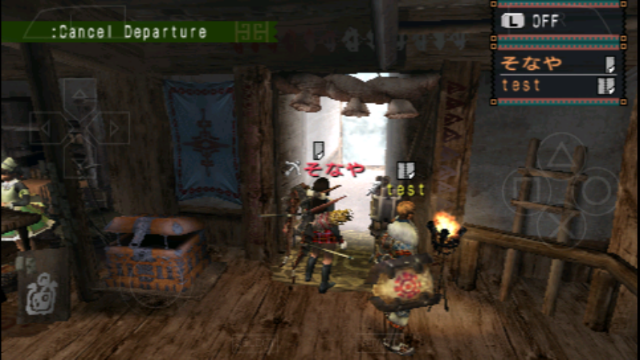
I've waited 27sec before the second player appears in the room.
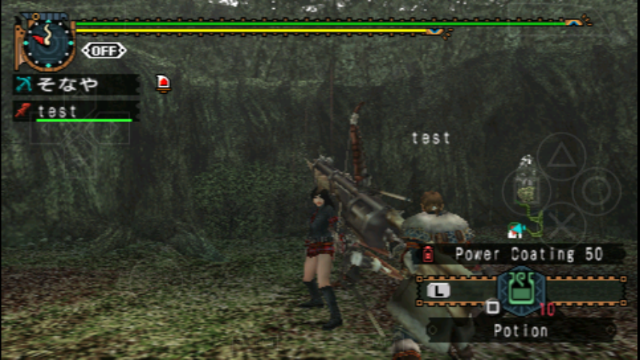
I always test it with MHFU for it is the most compatible game in Adhoc Multiplayer mode.
I'll would like try it first to confirm, if I have the time. So wait for my feedback.
For what Game is it? Some of the 'working" Games in the list are still having issues in Android, like Tekken6, GEB, etc. If not there are ticks and tricks that have to be done in the settings.
UPDATE
Success! but not as I said before.
Instructions:
->Connect your & his Phone to your router, and take note of your IP Address if you will host the AdhocServer. (ex. 192.168.0.14 you can find it in wifi settings-click the SSID/name of your router)
->In PPSSPP system setting: check enable wlan, input your IP Address in AdhocServer & Randomize your MacAdress. In the other Phone, Put the same IP Address, but make sure MacAdress is different.
->Start AdhocServer, don't kill it. Only for the host Phone. (If you're using the build with built-in AdhocServer, skip this step)
->Start PPSSPP, Launch the Game.
I've waited 27sec before the second player appears in the room.
I always test it with MHFU for it is the most compatible game in Adhoc Multiplayer mode.
| Testing Rig: Windows10 PC |
->Proc: Intel Core i3 4130
->GPU: Nvidia GTX660 GDDR5 1GB
->RAM: 8GB DDR3
->Proc: Intel Core i3 4130
->GPU: Nvidia GTX660 GDDR5 1GB
->RAM: 8GB DDR3