





I made a lazy copy/paste port of the zfast_lcd shader from RetroArch. It works quite nicely, so I thought I'd share...
This is a simple shader with a low (negligible?) performance impact. It creates an LCD effect by performing nearest neighbour scaling and adding a subtle grid lattice. The attached ppsspp_zfast_lcd.zip file contains two variants:
1 --- "zfast LCD Shader"
This is the one you should use...
- It requires a rendering resolution of 1xPSP
- It's intended for use with 2D games: you get a nice crisp display, with the grid providing a pleasant antialiasing effect
- It's also quite good for lower end android devices that struggle with higher internal resolutions (i.e. 3D games running at 1xPSP on a small screen generally look better with this shader than without...)
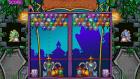
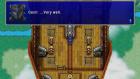
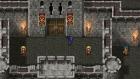
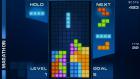
Here are some random screenshots of the shader in action:

2 --- "zfast LCD Shader HD"
This one's probably not very useful, but I made it for completeness...
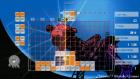
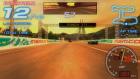
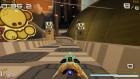
It supports arbitrary rendering resolutions, but only applies the grid effect (i.e. no nearest neighbour scaling, so things can get a little blurry). It adds some texture to the screen, which can look good/bad depending on personal preference. Here are some more screenshots:

-------
Both shaders also have a 'Mobile' version. These just force highp precision, which seems to be necessary on android phones and tablets.
Oh, and finally - these shaders absolutely REQUIRE a display resolution of AT LEAST 1080p. Lower resolution screens (i.e. 720p/768p) just don't have enough pixels to render the grid correctly, so you get horrible aliasing effects (or no grid at all).
-------
EDIT: Well that's embarrassing... Someone just informed me that my shader doesn't work with the Vulkan backend... I've been using OpenGL under Linux/Android, and so didn't know this was a problem...
Anyway, I've implemented a workaround and updated the zip file attached to this post - please re-download if you have the old version!
This is a simple shader with a low (negligible?) performance impact. It creates an LCD effect by performing nearest neighbour scaling and adding a subtle grid lattice. The attached ppsspp_zfast_lcd.zip file contains two variants:
1 --- "zfast LCD Shader"
This is the one you should use...
- It requires a rendering resolution of 1xPSP
- It's intended for use with 2D games: you get a nice crisp display, with the grid providing a pleasant antialiasing effect
- It's also quite good for lower end android devices that struggle with higher internal resolutions (i.e. 3D games running at 1xPSP on a small screen generally look better with this shader than without...)
Here are some random screenshots of the shader in action:
2 --- "zfast LCD Shader HD"
This one's probably not very useful, but I made it for completeness...
It supports arbitrary rendering resolutions, but only applies the grid effect (i.e. no nearest neighbour scaling, so things can get a little blurry). It adds some texture to the screen, which can look good/bad depending on personal preference. Here are some more screenshots:
-------
Both shaders also have a 'Mobile' version. These just force highp precision, which seems to be necessary on android phones and tablets.
Oh, and finally - these shaders absolutely REQUIRE a display resolution of AT LEAST 1080p. Lower resolution screens (i.e. 720p/768p) just don't have enough pixels to render the grid correctly, so you get horrible aliasing effects (or no grid at all).
-------
EDIT: Well that's embarrassing... Someone just informed me that my shader doesn't work with the Vulkan backend... I've been using OpenGL under Linux/Android, and so didn't know this was a problem...
Anyway, I've implemented a workaround and updated the zip file attached to this post - please re-download if you have the old version!