Posts: 4
Threads: 0
Joined: Nov 2014
Reputation:
0
I'm using version 9.9 for pc and I have the invisible character glitch. Can I get some help?
Posts: 4
Threads: 0
Joined: Nov 2014
Reputation:
0
11-14-2014, 08:27 AM
(This post was last modified: 11-14-2014, 08:42 AM by ben1234.)
Ok i fixed the the invisible glitch by playing around with the settings. I didn't mention it above but I also am experiencing the text box glitch, but I assumed that it hasn't been fixed yet, and I am using the 9.9.1 daily build that you suggested
Posts: 4
Threads: 0
Joined: Jun 2013
Reputation:
0
I've got a problem with the game on 0.9.9.1 version that can be downloaded from the home page. In the 2nd battle, where you're using 3 characters for the first time ( Leanne, Jeanne, Roger ) my emulator keeps crashing whenever I do anything. Moving camera, picking characters, using character commands etc. I can sometimes finish an action with a single character before the emulator crashes, but it does make it irritating to play the game. I'm using default emulator settings, the ones that are set as you download the emulator - I changed nothing.
Posts: 11
Threads: 0
Joined: Jun 2013
Reputation:
0
11-25-2014, 06:42 PM
(This post was last modified: 11-25-2014, 06:48 PM by ivang.)
Maybe it's your graphic card. What system are you using? I play it on my phone (Galaxy S5) and no problems till now.
Posts: 4
Threads: 0
Joined: Jun 2013
Reputation:
0
Using Radeon HD 7470M, laptop. Got a similar problem on Gungnir as well where it crashes when I run it the first few times and use f2 to save savestate, but I can get past it by just restarting emulator a few times. On Jeanne restarting doesn't help at all, also tried turning off stuff under Settings > More options, but no matter what I do it keeps on crashing.
Posts: 3,228
Threads: 25
Joined: Nov 2012
Reputation:
98
Try different video card drivers? Are you using the latest git build of PPSSPP?
-[Unknown]
Posts: 1
Threads: 0
Joined: Nov 2014
Reputation:
0
Hey trying to play the game but when i start it up the opening menu doesnt have and options or text anyone have a fix.
also using newest build
Posts: 3,228
Threads: 25
Joined: Nov 2012
Reputation:
98
Jroo2557: try a slightly older build, maybe 100 or so back. Might've been broken recently.
bellcross1: Hmm... unfortunately this game probably requires a newer videocard than you have, at least currently. Sorry. We may find a way to emulate it differently in the future.
-[Unknown]
Posts: 3
Threads: 0
Joined: Dec 2014
Reputation:
0
Are there any news regarding the missing character glitch on iOS devices? Someone mentioned different settings? More details on this one?!
Using the latest build vom cydia.ppsspp.org
Posts: 1
Threads: 0
Joined: Dec 2014
Reputation:
0
I have a problem the map is not showing after the second stage it's black Ive tried everything tho I don't have the latest drivers installed maybe that's the problem I'm not sure
I have gforce gt 220
Posts: 1
Threads: 0
Joined: Jan 2015
Reputation:
0
Regarding the font problem in Jeanne D'arc, I came here looking for a solution and eventually found one elsewhere.
It may be of interest to others here since it works for me. The fonts at the page below should be placed in the /flash0/ folder.
Browse to: emulation-general.wikia.com/wiki/PPSSPP





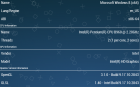


 Also yes I've tried the latest version, 0.9.9.1 - 997 but still the same issues for me.