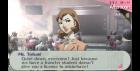
I was playing Persona 3 Portable until the part where I got a new transfer student. Then after I finished the talk scene, everything went black but the music still can be heard.
I am using window x64 and PPSSPP v0.9.8
*This is my 1st time posting a thread. Forgive me if I need to mention something but I didn't >.<*
05-27-2014, 03:10 PM (This post was last modified: 05-27-2014, 03:10 PM by vnctdj.)
(05-27-2014, 08:00 AM)Zatsune Miku Wrote: I was playing Persona 3 Portable until the part where I got a new transfer student. Then after I finished the talk scene, everything went black but the music still can be heard.
I am using window x64 and PPSSPP v0.9.8
*This is my 1st time posting a thread. Forgive me if I need to mention something but I didn't >.<*
ppsspp0.9.8.890below (AlphaMask hack was removed)
Android PowerVR GPU*
Now P3P's black screen problem is back [Inside tartarus/other UIs (try to backread the thread)]
That includes the Blue fog from The third Birthday, which doesn't occur with the hack turned on.
Hell everyone I was wondering what these errors meant:
MemmapFunctions.cpp.94 Read from hardware
MemmapFunctions.cpp.131 Write from hardware
53:10:461 user_main E[MM]: MemmapFunctions.cpp.56 Unknown GetPointer d300d3d3 PC d300d3d3 LR 08a9a17c.
Game was working perfectly fine until 5th block. I turned off hardware transform and after I access the compendium and then talk to someone inside the dorm the screen goes black and this error pops up in the debug log! Is there a way I can fix it?
06-11-2014, 03:08 AM (This post was last modified: 06-11-2014, 03:09 AM by nahucirujano.)
Hi guys
I wanted to ask you about this weird visual glitch I'm having while playing the game on Android.
As you can see in the screenshot, the name of the icons (and floors of the buildings) are not displayed correctly. On the bottom right it should say Faculty Office.
Is there any video option I should Activate/Desactivate to fix it?
(06-11-2014, 03:08 AM)nahucirujano Wrote: Hi guys
I wanted to ask you about this weird visual glitch I'm having while playing the game on Android.
As you can see in the screenshot, the name of the icons (and floors of the buildings) are not displayed correctly. On the bottom right it should say Faculty Office.
Is there any video option I should Activate/Desactivate to fix it?
Pretty sure that has something to do with the hacks like disable alpha stencil. If you uncheck those i think it should work.
(06-12-2014, 08:27 PM)Suzard Wrote: Pretty sure that has something to do with the hacks like disable alpha stencil. If you uncheck those i think it should work.
Uh I found out what caused the problem in my game, but I don't know how to fix it. It seems that when I use a skillcard on any persona and then check compendium, when i go back to the dorm to talk to anybody, even fuuka for tartarus, my screen turns black and that no getPointer error comes up. Can someone tell me how to fix this because no matter what I do nothing will work, even trying to have a time distance between these 2 events that causes this error. Are there any builds that avoid this error?
I'm playing p3p on my Nook HD+ with the latest ppsspp emulator. It works fine, runs smoothly, except for
every now and then, it will freeze for a second, and the emulator will close.
Can someone help me? Maybe some settings I can change to prevent this?
Hello, everyone! I apologize if this was address somewhere in this thread, but I've got two issues (both minor ones). The first is, when characters in the game blink there's this white outline around a portion of their heads. While this is the farthest thing from game-breaking, and I don't pay much attention to it, once I notice it, it becomes really annoying. The second issue is one that other games seem to share (like Ys Seven) and that is, when moving from map to map (like moving around town) my framerate goes from 30 to 31 and back to 30, but in that time the music stutters horribly. It gets REALLY annoying if you change maps frequently. I have no idea what causes these issues (I have all hacks unchecked and system settings are "out-of-the-box" so to speak) and no idea how to fix them. I'm using v0.9.8.
As far as the music stuttering during loading screens, something like this happens in other games. I don't know for sure that it's the same in Persona 3, but it probably is. For now, you can workaround it by using "force real time sync" in system settings, but I am actually working on fixing it in a better way already.
The lines may be affected by which render resolution you use or texture scaling. Try setting render resolution to 1x and texture scaling to off. The graphic quality should be the same as the PSP, but it may work around glitches caused by increasing the quality. The default setting is 2x render resolution iirc.
06-26-2014, 11:11 AM (This post was last modified: 06-26-2014, 09:17 PM by Syltti.)
Thanks for the quickly reply! I actually saw this yesterday, but as too busy to reply. The only audio function I found in System was Atomic Audio Lock, and that made things sound a bit weird. I tried "Low latency audio" in Audio instead, and that worked like a charm. The music stutters on occasion when changing maps, but that's fine, it's more or less seamless now. As for the lines, it seems to be tied to texture scaling like you suggested. It seems, though, that turning it off causes the lines. I honestly can't remember now, but I may have turned that off at some point. Setting it to 2x ~ 5x, or Auto, more or less eliminates while lines from most characters' faces. (The lines still appear around some of the characters' heads, like Yukari, but it's pretty faint.)
Thanks a lot~
[Edit] After a little looking, downloading the latest Dev build, I found that enabling FXAA Anti-aliasing removes the white lines from cutting through a characters head when they blink. There's still a faint white outline around a part of their heads when they do, though.
06-28-2014, 11:11 PM (This post was last modified: 06-29-2014, 03:36 AM by freespaz.)
Hi all,
If I am missing the answer to this I do apologize but I cannot, for the ever loving life of me get cheats to work for this game at all on my tablet. I am running a Samsung Galaxy 10.1 Note with ppsspp 0.9.8. The game runs beautifully no issues except a bit of sound stuttering, and it even works with my red samurai controller (the one with the keyboard on the back).
I have created my own files/used the .db file from cwcheat, tried a million different codes. I have even ran the same code files on ppsspp for windows on my win 7 machine and they worked, so by logic I should be able to take that file and drop it in the cheat folder on my tablet and WALA. but no.
Either it doesn't read it or the emu on the tablet empties the .ini file. For example I ran this code in an ini file on the emu on pc and it worked
So i took that file dropped in my /storage/sdcard0/PSP/Cheats file, made sure it copied correctly by verifying the size, then opened ppsspp ran the game went to the pause menu, went to cheats and nothing was there. Closed the game by exiting to the main then exit, went back to the directory checked the size again and it was now 0kb.
The emu doesn't always empty the cheat ini file, but it always doesn't read it. I have played and beat ps3 and ps3fes now I want to play as the female mc but without all the work LOL.
Please halp.
I was just able to get Crisis Core and I used the cheat.db file from the sticky on this forum and ppsspp handled/loaded and enabled all the cheats on my tablet for this. So it's gotta be something I'm doing wrong for Persona. I just can't figure out what.
Hi everyone, im with a problem with the sound, some sounds works normally, like background musics, but in battle voices and in video voices are working in a different volume, its too low that we cant even hear it, someone know why its happeniing?