Posts: 2,880
Threads: 111
Joined: Dec 2012
Reputation:
45
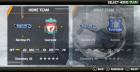
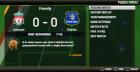
Nice! The menus could be as the new consoles, is most beautiful.

Phones: Poco F3 8GB/256GB (Snapdragon 870 5G) and Redmi Note 6 Pro 4/64GB (Snapdragon 636)
PC: AMD Ryzen 5 3600 / 16GB RAM DDR4 3600MHz / NVIDIA GTX 1660 Ti 6GB / Windows 10 Pro
Posts: 31
Threads: 3
Joined: Jul 2013
Reputation:
0
is better than android version?
Posts: 730
Threads: 9
Joined: Apr 2013
Reputation:
17
Give it time as the game takes a while to load up the next section of the game on PC, press start or X to continue as some sections at the beginning don't show.
As for Android if its a black screen, then make sure buffered rendering is on, should look the same as PC version IE grey screen.
Posts: 3
Threads: 0
Joined: Oct 2013
Reputation:
0
10-05-2013, 05:39 PM
(This post was last modified: 10-05-2013, 05:42 PM by enigma24.)
ok, I will give it a go, so grey screen is a good sign then?
if it is a good sign how long should the boot time be?
Posts: 730
Threads: 9
Joined: Apr 2013
Reputation:
17
Well yes in a way it is, its better than having the black screen LOL.
but sadly not the screen of logo's as yet.
Keep pressing either Start or X to advance through the screen, until the create a profile screen appears.
Save game seems to work okay.
Next time profile loads up, when it finishes requires a press of 'O' to continue.
Posts: 2,880
Threads: 111
Joined: Dec 2012
Reputation:
45
I tested both versions. The Android version is a lot best. Is a native game, better menu, better gameplay, better controls. But any console game has some graphics details better than Android. The PSP graphics has a better contrast and lighting, and the textures are better.
Phones: Poco F3 8GB/256GB (Snapdragon 870 5G) and Redmi Note 6 Pro 4/64GB (Snapdragon 636)
PC: AMD Ryzen 5 3600 / 16GB RAM DDR4 3600MHz / NVIDIA GTX 1660 Ti 6GB / Windows 10 Pro
Posts: 3
Threads: 0
Joined: Oct 2013
Reputation:
0
10-05-2013, 10:58 PM
(This post was last modified: 10-05-2013, 10:58 PM by enigma24.)
I have now played both psp emulated version and android, psp runs very smooth and as above has better player textures but android it's better overal as it's made for Mobile but the emulated version is 80% playable with some menus on start up not loading and sound can be crackly at times
Posts: 3
Threads: 0
Joined: Jan 2014
Reputation:
0
everything goes black since the latest update... so i'm still using build 452
Posts: 2,880
Threads: 111
Joined: Dec 2012
Reputation:
45
Even with buffer rendering enabled?
Phones: Poco F3 8GB/256GB (Snapdragon 870 5G) and Redmi Note 6 Pro 4/64GB (Snapdragon 636)
PC: AMD Ryzen 5 3600 / 16GB RAM DDR4 3600MHz / NVIDIA GTX 1660 Ti 6GB / Windows 10 Pro
Posts: 38
Threads: 0
Joined: Jan 2014
Reputation:
0
9.6.453 is the last revision that works, then the 9.6.455 doesn't work anymore...