Thread Rating:
  • 1 Vote(s) - 5 Average
  • 1
  • 2
  • 3
  • 4
  • 5
Kidou Senshi Gundam - Shin Gihren no Yabou
#1
Title: Kidou Senshi Gundam - Shin Gihren no Yabou
Genre: Turn-based Strategy
Region: JP
Format: ISO
Version: 0.8
OS: Windows
Notes: First Screen shown then goes into black screen
decryption failed at
disc0:/PSP_GAME/USRDIR/libpsmfplayer.prx
disc0:/PSP_GAME/USRDIR/libheap.prx
, missing key 5B

Also failed to read edat data

Jpcsp runs fine, though.
Reply
#2
Same thing in my. Do wish you guy can fix it on the next one. thanks.
Reply
#3
If something is show up then it belongs to menu/intro

Moved
Reply
#4
(07-31-2013, 12:14 PM)sfageas Wrote: If something is show up then it belongs to menu/intro

Moved
[Image: ypod.jpg]
Uploaded with ImageShack.us

I wouldn't say this is the menu/intro but it's your call.
Reply
#5
Same thing happens on new version. I should say, that jpcsp had this bug too, but now its gone.
Reply
#6
https://github.com/hrydgard/ppsspp/issues/5178
This game can be moved to In-game now at least.
Reply
#7
Moved.
♦ Intel Core i7-6700HQ | 16 GB RAM | NVIDIA GeForce GTX 960M | Debian Testing
♦ Intel Core i7-2630QM | 4 GB RAM | NVIDIA GeForce GT 540M | Debian Testing
♦ PSP-3004 | 6.60 PRO-C2
Reply
#8
Hi
I think its pretty common issue but i cant find any form of direct help.
its just stuck on creating a system file. debug screen says
memmapfunctions.cpp:128 WriteToHardware: Invalid address xxxxxxxx
and keep showing this.
any help? thanks
Reply
#9
What's the exact name of your game (and if possible the game ID) ?
♦ Intel Core i7-6700HQ | 16 GB RAM | NVIDIA GeForce GTX 960M | Debian Testing
♦ Intel Core i7-2630QM | 4 GB RAM | NVIDIA GeForce GT 540M | Debian Testing
♦ PSP-3004 | 6.60 PRO-C2
Reply
#10
kidou senshi gundam gihren no yabou
Id should be NPJH50441
I'm using windows 8 64 bit, and folder is placed under c:\ppsspp
Reply
#11
If it's NPJH50441, the exact name is Kidou Senshi Gundam: Shin Gihren no Yabou and therefore we already have a thread for this game Smile
I will merge yours in it Smile

Merged.
♦ Intel Core i7-6700HQ | 16 GB RAM | NVIDIA GeForce GTX 960M | Debian Testing
♦ Intel Core i7-2630QM | 4 GB RAM | NVIDIA GeForce GT 540M | Debian Testing
♦ PSP-3004 | 6.60 PRO-C2
Reply
#12
(05-20-2014, 07:00 PM)vnctdj Wrote: If it's NPJH50441, the exact name is Kidou Senshi Gundam: Shin Gihren no Yabou and therefore we already have a thread for this game Smile
I will merge yours in it Smile

Merged.

I've scanned this post and that link, but still not working.
I was using the latest version and got black out.
Any idea?
Reply
#13
Do you encounter this problem only in this game or with all the games you tried ?

Latest version of PPSSPP ? Found here ? Smile
♦ Intel Core i7-6700HQ | 16 GB RAM | NVIDIA GeForce GTX 960M | Debian Testing
♦ Intel Core i7-2630QM | 4 GB RAM | NVIDIA GeForce GT 540M | Debian Testing
♦ PSP-3004 | 6.60 PRO-C2
Reply
#14
(05-21-2014, 03:50 PM)vnctdj Wrote: Do you encounter this problem only in this game or with all the games you tried ?

Latest version of PPSSPP ? Found here ? Smile

this game only. Yeah I tried the latest version of v0.9.8-695-g8c11559 published on 5/18/2014.
I also tried the one downloaded from ppsspp main website. This one crashed directly at same place.
Reply
#15
@jmty0083 Maybe try different settings?Tongue Like disable all experimental options and fast memory in system settings, because the game works completely fine to me. Unless you mean it crashes somewhere deeper in game?

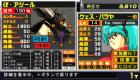
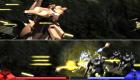
Here's some screenshots from the game running on my pc with win7:
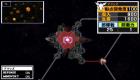
               

Tested on v0.9.8-695 as well as the latest from today v0.9.8-737, I remember trying other Gundam Giren games earlier with same success, so it's quite likely playable from at least month or few, I just don't plan playing those yet and had no time testing the series properly ~ too many games, too little time.;]

As far as I noticed from few minutes in the game it does seem fully playable. No saving or loading problems either, systemdata whatever it is used for(game settings I guess?), was also created without any errors showing for me. Didn't tried install data, since it's an useless waste of space and not required by the game. Movies work fine as well as seen on one of the screenshots.

Extra notes:

The only screenshot in this thread before mine is I guess just showing info about missing dlc's, it'll always show up unless you have all dlc's for this game and for each missing dlc you'll see an error spam in ppsspp log, I see it as well and it's just an info you can skip completely when running the game without dlc's.

Texture scalling seem to cause slight artifacts, it's also very heavy because the game has alot of small textures and runs at 60fps, so I wouldn't recommend using it.
http://forums.ppsspp.org/showthread.php?tid=6594 - Custom PPSSPP Shaders!
http://forums.ppsspp.org/showthread.php?tid=3590&pid=117172#pid117172 - simple CE scripts to help creating CWCheats,
https://github.com/LunaMoo/PPSSPP_workarounds - CWCheat workarounds.
Reply


Forum Jump: