Posts: 3
Threads: 1
Joined: May 2015
Reputation:
0
Hey, man, I got a great attention.!
In the "3dsll new" development ppspp, how do you see?
Completely three-dimensional 3D game. In the Nintendo game player inside you can play PSP game.
This is a very exciting idea! 
Posts: 5,371
Threads: 14
Joined: Mar 2013
Reputation:
303
Merged.
♦ Intel Core i7-6700HQ | 16 GB RAM | NVIDIA GeForce GTX 960M | Debian Testing
♦ Intel Core i7-2630QM | 4 GB RAM | NVIDIA GeForce GT 540M | Debian Testing
♦ PSP-3004 | 6.60 PRO-C2
Posts: 61
Threads: 10
Joined: May 2013
Reputation:
0
 05-30-2015, 01:17 PM
Hey Guys!
I am requesting for the sake of the people who are using android phone that lacks USB OTG support and/or their touchscreen is not ten-point multitouch capable, which is really in games that use a combination of button presse(Monster Hunter games, Gods Eater Games, God of War ang Gundam VS. Gundam next plus to name a few). I know I am kinda being stingy, but can you please add this on the later build on the buildbot? This may also help, in my opinion, disabled PPSSPP users: letting do combination button presses while lessening the strain on them.
I love reading Japanese Light Novels!
I'm also a God Eater and a Monster Hunter!
Posts: 16
Threads: 1
Joined: May 2013
Reputation:
0
any chance of a mappable screenshot button
Posts: 5,371
Threads: 14
Joined: Mar 2013
Reputation:
303
(05-30-2015, 01:17 PM)Vernon9398 Wrote: Hey Guys!
I am requesting for the sake of the people who are using android phone that lacks USB OTG support and/or their touchscreen is not ten-point multitouch capable, which is really in games that use a combination of button presse(Monster Hunter games, Gods Eater Games, God of War ang Gundam VS. Gundam next plus to name a few). I know I am kinda being stingy, but can you please add this on the later build on the buildbot? This may also help, in my opinion, disabled PPSSPP users: letting do combination button presses while lessening the strain on them.
Merged.
♦ Intel Core i7-6700HQ | 16 GB RAM | NVIDIA GeForce GTX 960M | Debian Testing
♦ Intel Core i7-2630QM | 4 GB RAM | NVIDIA GeForce GT 540M | Debian Testing
♦ PSP-3004 | 6.60 PRO-C2
Posts: 181
Threads: 3
Joined: Jun 2013
Reputation:
3
Hello Everyone , im just back to the forum and i miss the old AdhocServer.exe
So i have some
[Feature Request ] Run Built-in PRO ADHOC Server without run the game
when i see this log
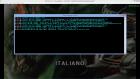
The server only started when i run the game , but can i just run the Built-in server without run the game like old times ? its usefull for people in online party like evolve and tunngle when someone hosting as server but he go away and don't playing but keep the server running . because he has the most stable connection for the other people in same party
and i think this is usefull too for Local Multiplayer when you have old android phone or laptop to turn that machine only to run the Built-IN Pro Adhoc Server
the Builtin-Adhoc Server compatibility is improving , but the old program adhocserver.exe is just the same like old times , thats why i ask this feature ,
Running the Built-In Adhoc server like the log console only is enough , Thanks before Great Dev
Experimenting with adhoc over internet system through Amultios custom ppsspp fork, find me in game
Monster Hunter Freedom : Lucis
Monster Hunter Freedom Unite : Lucis
Monster Hunter Portable 3rd: Lucis
Posts: 2
Threads: 0
Joined: Jul 2015
Reputation:
0
I personally want custom texture loading above all else. But the option to tick multiple post-processing shaders to stack would be nice.
Posts: 25
Threads: 1
Joined: Nov 2013
Reputation:
1
I have a request regarding the GUI - resize it so it has more space between the buttons, and make buttons larger.
This isn't an issue on PC, but in Android and iOS, I pressed the wrong button multiple time (specifically, the save/load state).
Posts: 3,228
Threads: 25
Joined: Nov 2012
Reputation:
98
If you have any ideas you can sketch out, it'd help. I also think the savestate screen could be better, but if we make the buttons bigger and more spaced out, we end up running out of room and having annoying scrollbars everywhere.
-[Unknown]
Posts: 25
Threads: 1
Joined: Nov 2013
Reputation:
1
http://i.imgur.com/JNrnguP.jpg
There you go, mate.
You'll notice that save and load are on separate sides of the screen, so accidental input is mitigated.
Number of saves per page has gone down from 5 to 3, while buttons and font have been enlarged.
There's a scroll bar there, like in the old design.
Also, note that "Exit to menu" has double the space from other buttons. That was a part of the original PPSSPP design, and it's quite good.
Posts: 3
Threads: 0
Joined: Jul 2015
Reputation:
0
Please add feature to move the app's files to the external sd card, Android obviously.
Posts: 25
Threads: 1
Joined: Nov 2013
Reputation:
1
(07-08-2015, 10:26 AM)jacobson Wrote: Please add feature to move the app's files to the external sd card, Android obviously. ???
The entire PPSSPP folder is less than 50MB, even with a hundred saves. And you can always load games from the external SD card.
So why bother doing it? Its impact is minimal at best.
Posts: 3
Threads: 0
Joined: Jul 2015
Reputation:
0
(07-08-2015, 12:08 PM)Made in China Wrote: (07-08-2015, 10:26 AM)jacobson Wrote: Please add feature to move the app's files to the external sd card, Android obviously. ???
The entire PPSSPP folder is less than 50MB, even with a hundred saves. And you can always load games from the external SD card.
So why bother doing it? Its impact is minimal at best.
I just want all of my stuff in the same place. This is not a necessary feature, I admit. More of a quality-of-life improvement.
Posts: 25
Threads: 1
Joined: Nov 2013
Reputation:
1
(07-08-2015, 12:35 PM)jacobson Wrote: I just want all of my stuff in the same place. This is not a necessary feature, I admit. More of a quality-of-life improvement. I'm never against more options for emulators. You're correct and I respect your opinion.
If it isn't too much work, I totally support it.
Posts: 383
Threads: 8
Joined: Mar 2014
Reputation:
3
Make PPSSPP use PSP's actual memory allocation?
I know I know, Chinese patched games gonna crash. Maybe add an option to use actual memory allocation (On/Off)?
Old laptop: Lenovo G458
AMD/ATI Radeon HD 7310 | 1366x768@60Hz | APU E1-1200 Dual Core | 2.5 GB DDR3 400MHz | Windows 7 Home Premium 32-bit
New laptop: Lenovo ideapad 100
Nvidia Geforce 920M 2GB / Intel HD Graphics 5500 | 1366x768@60Hz | Intel Core i3-5005U 2GB | 2GB DDR3 2000MHz | Window 10 Home 64-bit
|





