Posts: 1,795
Threads: 17
Joined: Sep 2013
Reputation:
158
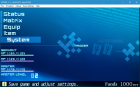
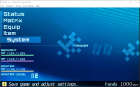
Just a guess, but if one of the other settings you changed was forcing "nearest" texture filtering(or if game does that on it's own to affected textures), resolutions with lower pixel density will have such artifacts by design, that's just how this filtering works with stretched textures(commonly fonts) where some "pixels" will be squished, while others stretched out, effectively turning what should be square into rectangles and does that pretty randomly so it usually looks exactly as the problem on your screenshots.
http://forums.ppsspp.org/showthread.php?tid=6594 - Custom PPSSPP Shaders!
http://forums.ppsspp.org/showthread.php?tid=3590&pid=117172#pid117172 - simple CE scripts to help creating CWCheats,
https://github.com/LunaMoo/PPSSPP_workarounds - CWCheat workarounds.
Posts: 112
Threads: 7
Joined: Sep 2015
Reputation:
3
Solution: Use internal resolutions that are Powers of 2, or force linear filtering, but then other things will look terrible.
Posts: 5
Threads: 1
Joined: Sep 2016
Reputation:
0
Thanks for the answers. It looks like texture filtering does affect the text (and can fix it). The thing is, the default setting (Auto) messes up the text while the setting that fixes it makes other stuff worse. Internal resolutions that are powers of 2 work, so I'll have to keep it that way but on some machines that might not be possible (except x2). Anyway thanks again for the help! Btw, is there a reason why texture upscaling doesn't work while custom textures are loaded? They could only affect non custom textures...
Posts: 3,228
Threads: 25
Joined: Nov 2012
Reputation:
98
Texture upscaling should affect non-custom textures. Are you sure it's not working?
"Auto" texture filtering just trusts the game. When the game draws certain things, it specifies whether to draw it at linear or nearest. But its decisions are really built for 1x render resolution and 1x textures, since that was all the PSP supported.
-[Unknown]
Posts: 5
Threads: 1
Joined: Sep 2016
Reputation:
0
Alright so the texture filtering cannot be fixed because it's a game's issue, got it. And about the texture upscaling I found out why I thought it didn't work at the same time. When you change most settings, the effects are seen instantly. In texture upscaling's case, the changes are only seen when the textures are reloaded (for example, I loaded a savestate again) regardless of custom textures being on or not. I didn't notice that behavior at first so sorry for the useless question. And I guess in the end there was no bug. Thanks for all the info then!
Posts: 3,228
Threads: 25
Joined: Nov 2012
Reputation:
98
09-29-2016, 03:57 AM
(This post was last modified: 09-29-2016, 04:39 AM by [Unknown].)
Hmm, I thought that changing the texture upscaling setting was supposed to flush the texture cache... that does sound like a bug.
-[Unknown]
Okay, that issue should be fixed in some upcoming git build. I'm guessing you change the setting from the pause menu, which wasn't working properly.
-[Unknown]