Thread Rating:
  • 0 Vote(s) - 0 Average
  • 1
  • 2
  • 3
  • 4
  • 5
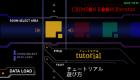
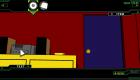
Crimson Room Reverse ULJM05408
#1
Title: Crimson Room Reverse
Disc ID: ULJM05408
Genre: Adventure (room escape)
Region: JPN
Format: ISO
Version: PPSSPP 0.9.8-561 windows x86
OS: Windows 7 64 bit
Compatibility: In-game
Notes: Seems to be at least in-game as of version 0.9.8. No problems found, though I don't have the patience to test the complete game.
               

(old non working logs from 9.1 version)
Log file x64 :
.zip   CrimsonRoomx64.zip (Size: 45.73 KB / Downloads: 1,133)
Log file x86 :
.zip   CrimsonRoomx86.zip (Size: 11.41 KB / Downloads: 1,058)
I'm sorry, but I can't constantly keep an eye on all the game compatibility threads I started.
Please send a Private Message if you need some more information.
Reply
#2
Moved to Menu
Reply
#3
v0.9.6-683
Skip video can work but we need find correct fix

edit:Real PSP don't call scePsmfPlayerBreak,instead it call
scePsmfPlayerReleasePsmf .But PPSSPP do not call it.
edit2:Real PSP do not call scePsmfPlayerStop .Hmm


Attached Files
.txt   ppsspplogm.txt (Size: 124.01 KB / Downloads: 1,101)
.txt   ppssppinfolog.txt (Size: 69.64 KB / Downloads: 1,109)
.txt   JPCSPtracelog.txt (Size: 67.04 KB / Downloads: 1,163)
I want to be a crash fixer
PM me if you want to me look a game
Reply
#4
No Idea scePsmfPlayerGetCurrentStatus change from 0x200 to 0x2
Code:
13:29:32 sSoundImplement::PmfVideoDecode - scePsmfPlayerGetCurrentStatus 0x89EE630 = 0x200 13:29:32 sSoundImplement::PmfDecode - scePsmfPlayerGetAudioData 0x89EE630, 0x8A39C40 = 0x8061600C 13:29:32 sSoundImplement::PmfVideoDecode - scePsmfPlayerUpdate 0x89EE630 = 0x0 13:29:32 sSoundImplement::PmfVideoDecode - scePsmfPlayerGetVideoData 0x89EE630, 0x8EB2D70 = 0x0 13:29:32 sSoundImplement::PmfVideoDecode - scePsmfPlayerGetCurrentStatus 0x89EE630 = 0x200 13:29:32 sSoundImplement::PmfDecode - scePsmfPlayerGetCurrentStatus 0x89EE630 = 0x200 13:29:32 sSoundImplement::PmfVideoDecode - scePsmfPlayerUpdate 0x89EE630 = 0x0 13:29:32 sSoundImplement::PmfVideoDecode - scePsmfPlayerGetVideoData 0x89EE630, 0x8EB2D70 = 0x0 13:29:32 sSoundImplement::PmfVideoDecode - scePsmfPlayerGetCurrentStatus 0x89EE630 = 0x200 13:29:32 sSoundImplement::PmfDecode - scePsmfPlayerGetAudioData 0x89EE630, 0x8A3BD00 = 0x8061600C 13:29:32 sSoundImplement::PmfDecode - scePsmfPlayerGetCurrentStatus 0x89EE630 = 0x2 13:29:32 sSoundImplement::PmfVideoDecode - scePsmfPlayerUpdate 0x89EE630 = 0x80616001 13:29:32 sSoundImplement::PmfVideoDecode - scePsmfPlayerGetVideoData 0x89EE630, 0x8EB2D70 = 0x80616001 13:29:32 sSoundImplement::PmfVideoDecode - scePsmfPlayerGetCurrentStatus 0x89EE630 = 0x2 13:29:32 sSoundImplement::PmfDecode - scePsmfPlayerGetAudioData 0x89EE630, 0x8A39C40 = 0x80616001 13:29:32 - scePsmfPlayerReleasePsmf 0x89EE630 = 0x0
I want to be a crash fixer
PM me if you want to me look a game
Reply
#5
Something to note is that the log only writes once. If a function takes a while on one thread, other threads can be calling other functions *while it's running.* This happens especially with scePsmf.

So, it could be scePsmfPlayerReleasePsmf()... probably not. Or it also could be some other func you didn't know to even try logging.

Hmm.

-[Unknown]
Reply
#6
Hmm the "" therad do not call scePsmfPlayerReleasePsmf in PPSSPP
I want to be a crash fixer
PM me if you want to me look a game
Reply
#7
9.8-561 Windows x86.
It's now at least in-game, maybe even playable, but I don't have the patience to test for longer than 60 minutes or so. Sorry.

So, please move to the In-game forum. Thanks!

I updated the first post accordingly.
I'm sorry, but I can't constantly keep an eye on all the game compatibility threads I started.
Please send a Private Message if you need some more information.
Reply
#8
Moved Smile
♦ Intel Core i7-6700HQ | 16 GB RAM | NVIDIA GeForce GTX 960M | Debian Testing
♦ Intel Core i7-2630QM | 4 GB RAM | NVIDIA GeForce GT 540M | Debian Testing
♦ PSP-3004 | 6.60 PRO-C2
Reply


Forum Jump: