





So, I was foolin around with Ai and seeing what it could do shader wise. I originally was working on modifying another shader for a different emulator and got decent results, so I had Ai port it over to the ppsspp. Took a couple weeks of telling it what it was doing wrong till it finally did right, but the end result is interesting. My goal was to incorporate what I like from multiple shaders, so that I didn't have to stack a bunch on, and instead use only one. I also wanted to push what could be done for the image if you happen to have to use software or render x1 for whatever reason.
There are 4 sliders.
Resolution scale: This aims to target the render resolution you set this too, as sort of a power factor setting.
LCD Grid Strength: This is an optional LCD shader feature that can be turned completely off. It will appear different depending on the scale setting.
Sharpener: This is a texture sharpener that aims to sharpen/clean textures up a bit in preparation for the line smoother. At the far end of the sharpener, a modest dithering is applied to provide a different sharpening type. As a safe bet, set it to 0.5 or 1 to start with.
Touchy line smoother: This is so named because 0.16 might be all the smoothing you need, but it goes up to 4. After 1.3, a gaussian style blur begins to be applied.
To install this on windows go to (emulator folder) > assets > shaders and drop the three files in there. The shader name will appear as "Ai Shader"
To install on android, just make a folder named "SHADERS" inside of your psp folder (the one that contains other ppsspp related folders such as savedata) and drop the files into the shaders folder you just made.
As a tip, enable integer scaling, especially if you plan to use the LCD effect.
If anyone sees a way to improve upon it and knows what angle to work with, let me know.
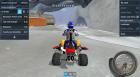
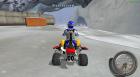
I'll post a screenshot of it working with a mild setting, next to a image of it not set up.
 ai_composite (2).zip (Size: 7.97 KB / Downloads: 4)
There are 4 sliders.
Resolution scale: This aims to target the render resolution you set this too, as sort of a power factor setting.
LCD Grid Strength: This is an optional LCD shader feature that can be turned completely off. It will appear different depending on the scale setting.
Sharpener: This is a texture sharpener that aims to sharpen/clean textures up a bit in preparation for the line smoother. At the far end of the sharpener, a modest dithering is applied to provide a different sharpening type. As a safe bet, set it to 0.5 or 1 to start with.
Touchy line smoother: This is so named because 0.16 might be all the smoothing you need, but it goes up to 4. After 1.3, a gaussian style blur begins to be applied.
To install this on windows go to (emulator folder) > assets > shaders and drop the three files in there. The shader name will appear as "Ai Shader"
To install on android, just make a folder named "SHADERS" inside of your psp folder (the one that contains other ppsspp related folders such as savedata) and drop the files into the shaders folder you just made.
As a tip, enable integer scaling, especially if you plan to use the LCD effect.
If anyone sees a way to improve upon it and knows what angle to work with, let me know.
I'll post a screenshot of it working with a mild setting, next to a image of it not set up.
ai_composite (2).zip (Size: 7.97 KB / Downloads: 4)
 The LCD grid box size shrinks depending on resolution scale, and the opacity of it can be turned off entirely/made weak, unless you mean to have it do that automatically. What I would like to have seen, was a smaller grid size overall for every resolution but the Ai repeatedly explained to me that my monitor would not display half pixels properly, and that the grid at that scale would simply darken my screen. Another thing I might try asking it, is to make the pixels shift by one side to side rapidly to stop the shimmering even more. I like your idea of documenting settings maybe for different games I've tuned it on, and whether it works better on nearest or linear etc. I made it with all the emulator texture features off, like msaa and anisotropic etc, so I might also still work on making a version that is overall stronger and less touchy with those features on.