Thread Rating:
  • 0 Vote(s) - 0 Average
  • 1
  • 2
  • 3
  • 4
  • 5
PPSSPP v1.11.3 Checkboxes not showing in Settings [PC]
#1
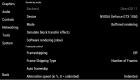
Hi, I just downloaded the new version today and I was configuring my emulator settings however, all the checkboxes are not showing !! Even after setting UI Background up, still not showing. Is this a known issue or am I missing something? Thank you!
HuhHuhHuhHuh
   
Reply
#2
You are missing the assets. The files in the "assets" folder are required and the assets folder must be next to PPSSPPWindows64.exe. It should've shown you an error during startup about this.

-[Unknown]
Reply
#3
Thanks!!! Silly me, I only copied the files to replace the old version but the asset folder. LoL. Again, thank you!! Everything's good now.
Reply


Forum Jump: